
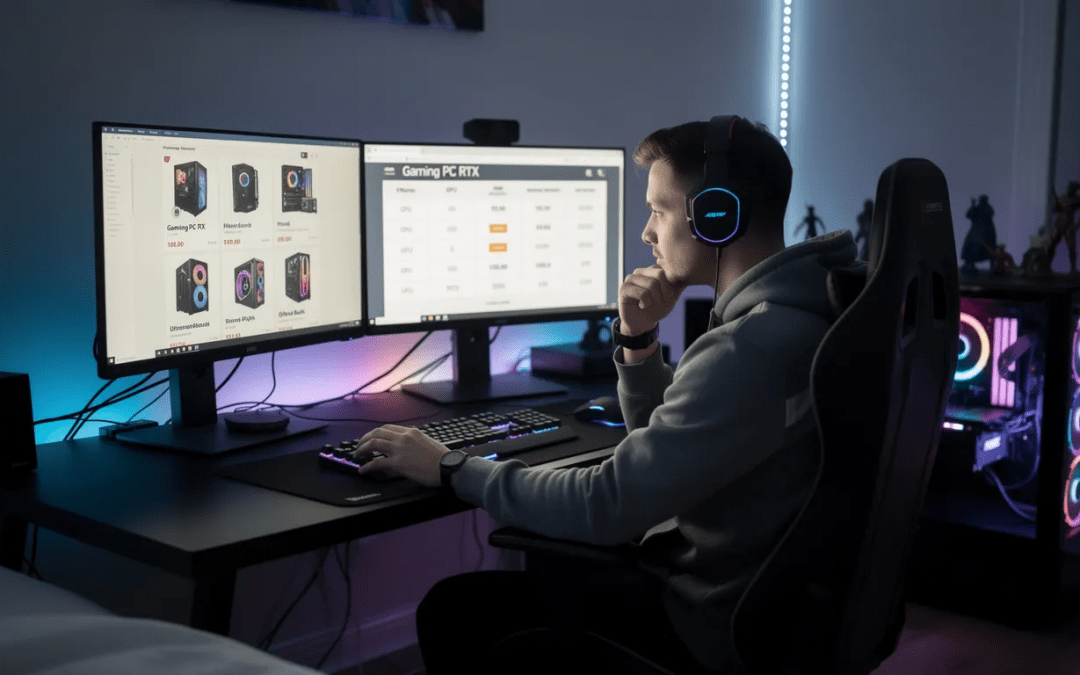
Introduction to Gaming PCs
A gaming PC is a high-performance computer built specifically to handle the demands of modern games, delivering smooth gameplay and an immersive gaming experience. When buying a gaming PC, it’s important to focus on the right balance of components—especially the central processing unit (CPU), graphics card, random access memory (RAM), and storage. These elements work together to ensure your system can play the latest titles with solid performance, whether you’re aiming for high frame rates or stunning visuals.
If you’re working with a tight budget, a budget gaming PC can still offer impressive results for many popular games. Prioritize a strong graphics card and enough RAM to keep your system responsive, as these have the biggest impact on gaming performance. The type of games you want to play and the level of graphics quality you expect should guide your choices. For example, fast-paced shooters may require higher frame rates, while story-driven adventures benefit from better visuals.
Whether you choose a pre built system for convenience or build your own PC for customization, understanding your needs and budget is key. By focusing on the most important components and planning for future upgrades, you can enjoy a great gaming experience now and keep your system ready for the next wave of modern games.
Key Takeaways
-
The graphics card (GPU) is the single most important component for gaming performance and should receive the largest portion of your budget when buying a gaming computer in 2025
-
A well-balanced mid-range gaming pc typically includes an Intel Core i5-14600K or AMD Ryzen 7 7800X3D, 16-32 GB DDR5 RAM, RTX 4070/5070 or RX 7800 XT, and a 1-2 TB NVMe SSD
-
Prebuilt gaming pcs start around $1,100-$1,500 for solid 1440p performance, while high-end 4K systems with RTX 4080/5080+ typically cost $2,200 or more
-
You must decide early between prebuilt systems, custom builds, or gaming laptops based on your priorities for convenience, upgradeability, and portability
-
Future-proofing your gaming system means choosing a platform with upgrade potential and targeting specs that will handle modern games for 4-6 years
This comprehensive 2025-focused guide covers everything you need to know about buying a gaming pc, whether you’re considering prebuilt systems or custom builds. Current hardware recommendations and pricing reflect the late 2025 market, with examples featuring the latest Nvidia RTX 5000-series and AMD RX 8000-9000 graphics cards.
1. Decide What Kind of Gaming PC You Actually Need
Before diving into specific hardware components, you need to determine exactly how you plan to use your new gaming system. Your target resolution, preferred games, and performance expectations will drive every other decision in your buying process.
The gaming market in 2025 generally breaks down into three main categories based on performance targets:
1080p-Focused Gaming
-
Target Games: Competitive esports titles like Fortnite, Valorant, League of Legends, CS2
-
Performance Goal: 144-240 fps for high refresh rate monitors
-
Budget Range: $800-$1,100 for complete systems
-
Ideal GPU: RTX 4060, RTX 5050, or RX 7600
A budget pc is an affordable prebuilt system designed for 1080p gaming, typically featuring entry-level to mid-range GPUs, solid build quality, and some performance limitations compared to higher-end rigs. The CyberPowerPC Gamer Xtreme is recognized as the best budget gaming PC, offering strong 1080p performance at an affordable price.
1440p-Focused Gaming
-
Target Games: AAA titles like Cyberpunk 2077, Elden Ring, Baldur’s Gate 3
-
Performance Goal: 60-144 fps at high to ultra settings
-
Budget Range: $1,200-$1,800 for complete systems
-
Ideal GPU: RTX 4070 Super, RTX 5070, RX 7800 XT, or RX 8800
4K/VR-Focused Gaming
-
Target Games: Latest AAA releases, VR titles, Microsoft Flight Simulator
-
Performance Goal: 60+ fps at 4K or smooth VR experiences
-
Budget Range: $2,000-$3,000+ for complete systems
-
Ideal GPU: RTX 4080 Super, RTX 5080, RTX 5090, or RX 8900 XTX
You also need to choose between desktop and laptop form factors early in your decision process. Gaming desktops offer maximum performance per dollar and easier upgrade paths, making them ideal for dedicated gaming setups. Gaming laptops provide portability for LAN parties, dorm rooms, and travel, but typically cost 20-30% more for equivalent performance. Pre built pcs and prebuilt pcs are convenient options for those who want ready-made systems, often featuring the latest graphics cards and saving you the hassle of assembling or upgrading individual components.
If you’re on a tight budget, opt for function over appearance when browsing the wide range of gaming desktops and laptops.
Most users find that 1440p gaming represents the sweet spot in 2025, offering significantly sharper visuals than 1080p while remaining achievable with mid-range hardware. A solid 1440p gaming rig with an RTX 4070-class GPU can handle virtually all current games at high settings while providing room for future upgrades.
When considering form factors, always verify the types of ports and connectivity options available to ensure the system supports all your devices.
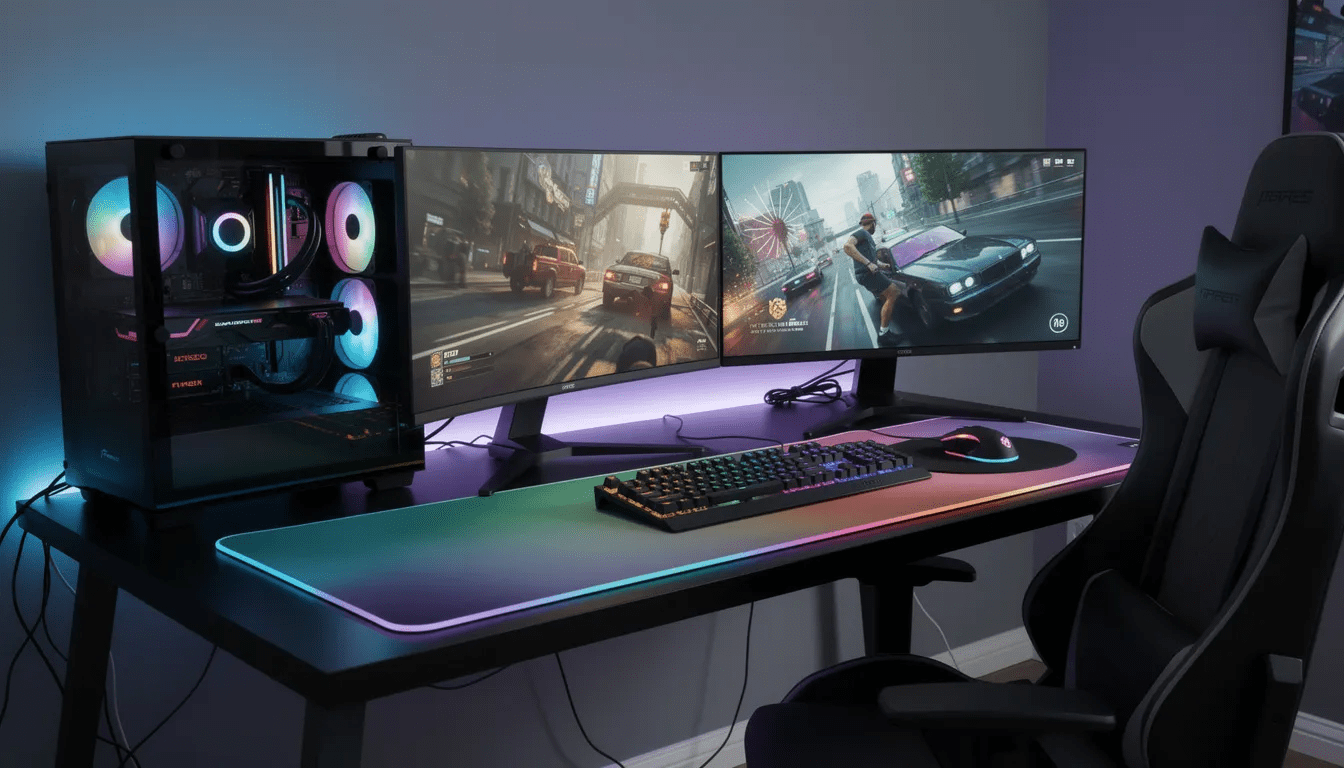
2. Prebuilt vs. Custom: Which Way to Buy in 2025?
The choice between purchasing a prebuilt gaming pc and building your own system represents one of the most important decisions in your buying journey. Each approach offers distinct advantages depending on your experience level, time availability, and specific priorities.
Prebuilt Gaming PC Advantages:
- A pre built gaming pc is a ready-made desktop system assembled by a manufacturer, designed for gaming and ideal for buyers who don’t want to build their own.
- Beginner-friendly: Arrives ready to play games with pre-installed operating system
- Single warranty: Entire system covered under one manufacturer warranty
- Time savings: No assembly required, usually ready within an hour of unboxing
- Bulk pricing: OEMs often secure better GPU prices, especially on latest cards like RTX 5070/5090
- Professional assembly: Proper cable management and thermal paste application guaranteed
- Prebuilt pcs often come with the latest GPUs and are convenient for those who want a ready-to-use system without the hassle of sourcing individual parts.
- RTX 50 series graphics cards are expected to be prevalent in prebuilt gaming PCs throughout 2025.
Prebuilt Gaming PC Disadvantages:
- Component quality variance: Cheaper PSUs, motherboards, or RAM to hit price points
- Bloatware: Pre-installed software that can slow system performance
- Limited customization: Fewer choices in aesthetics, cooling solutions, or specific brands
- Upgrade restrictions: Some systems use proprietary connectors limiting future upgrades
- Higher total cost: Markup for assembly and support services
- It’s important to evaluate other components such as the CPU, RAM, motherboard, and storage in prebuilt systems, as these all contribute to overall gaming performance.
Custom Build Advantages:
-
Complete control: Choose every component including specific PSU brands, case design, and cooling
-
Transparency: Know exactly what components you’re getting with full access to reviews and benchmarks
-
Value optimization: Often better performance per dollar through strategic component selection
-
Clean software: Fresh Windows installation without manufacturer bloatware
-
Educational value: Understanding your system makes troubleshooting and upgrades easier
Custom Build Disadvantages:
-
Time investment: Research, ordering, assembly, and troubleshooting can take weeks
-
Technical knowledge required: Risk of compatibility issues or assembly mistakes
-
Multiple warranties: Each component has separate warranty terms and RMA processes
-
Additional costs: Windows license, assembly tools, and potential professional help
Middle Ground Option: Custom Integrators Services like NZXT BLD, Origin PC, and Maingear offer semi-custom solutions where you select from curated components and they handle assembly, testing, and support. This approach combines the customization benefits of DIY building with the convenience and warranty of prebuilt systems.
For newcomers to pc gaming who want to start playing immediately, a reputable prebuilt gaming pc represents the most practical choice. However, enthusiasts who enjoy tinkering and want maximum value should strongly consider custom building, especially if they have time to research components and learn assembly basics.
3. Choosing the Right Graphics Card (GPU)
Your graphics card choice in 2025 fundamentally determines your gaming performance, visual quality settings, and realistic resolution targets. The GPU is widely seen as the most important component in a gaming PC because it is the powerhouse behind graphics performance. As the most expensive single component in most gaming systems, the GPU deserves the largest portion of your budget allocation.
Modern GPU tiers align closely with resolution and performance targets:
Budget 1080p Gaming (RTX 4060, RTX 5050, RX 7600)
-
Target: 60-120 fps at 1080p high settings
-
Price range: $250-$350
-
Best for: Esports titles, older AAA games, tight budget builds
-
VRAM: 8-12 GB (adequate for 1080p)
-
For best results in gaming, consider buying a separate video graphics card rather than relying on integrated graphics.
Mid-Range 1440p Gaming (RTX 4070 Super, RTX 5070, RX 7800 XT)
-
Target: 60-120 fps at 1440p high/ultra settings
-
Price range: $500-$700
-
Best for: Current AAA titles, future-proofed 1440p gaming
-
VRAM: 12-16 GB (comfortable for 1440p with high textures)
-
Choose a GPU that can efficiently support high resolutions like 1440p and 4K for optimal visuals.
High-End 4K Gaming (RTX 4080 Super, RTX 5080, RTX 5090, RX 8900 XTX)
-
Target: 60+ fps at 4K high/ultra settings
-
Price range: $800-$1,600+
-
Best for: 4K gaming, VR, content creation
-
VRAM: 16-24 GB (essential for 4K textures and ray tracing)
-
For 4K gaming and VR, a powerful video card is essential to handle high resolutions and advanced graphics settings.
Understanding GPU Features in 2025:
A dedicated GPU is ideal for playing most modern games, offering a wide range of performance from high-end to entry level. When evaluating GPU options, it’s important to research the dedicated GPU’s capabilities in relation to your game requirements and ensure compatibility with other system components for an optimal experience.
Nvidia’s RTX 50-series “Blackwell” architecture brings significant improvements in ray tracing performance and DLSS 4 frame generation, which can effectively double frame rates in supported games. If you are considering a Nvidia GPU, note that the Nvidia GeForce RTX 5090 is currently the fastest graphics card available, but it comes at a high price. AMD’s competing RX 8000-9000 series focuses on raw rasterization performance and improved FSR upscaling technology.
Ray tracing support has become increasingly important as more games integrate real-time lighting effects as default features. However, the performance cost remains substantial – expect 30-50% lower frame rates with ray tracing enabled compared to traditional rasterization.
AI upscaling technologies like DLSS, FSR, and XeSS can make mid-range GPUs viable at higher resolutions by rendering internally at lower resolutions and intelligently upscaling the final image. These features often provide the difference between playable and unplayable performance in demanding titles like Cyberpunk 2077 or Alan Wake 2.
When evaluating GPU options, check the recommended system requirements for your most anticipated games. Titles like Call of Duty 2025, Starfield, and Baldur’s Gate 3 provide good benchmarks for current hardware demands. Remember that GPU generations typically last 18-24 months, so buying a card slightly above your current needs provides better long-term value than targeting exactly your present requirements. The first number in a GPU model name typically denotes the generation, while the last two numbers indicate the hierarchy within that generation.
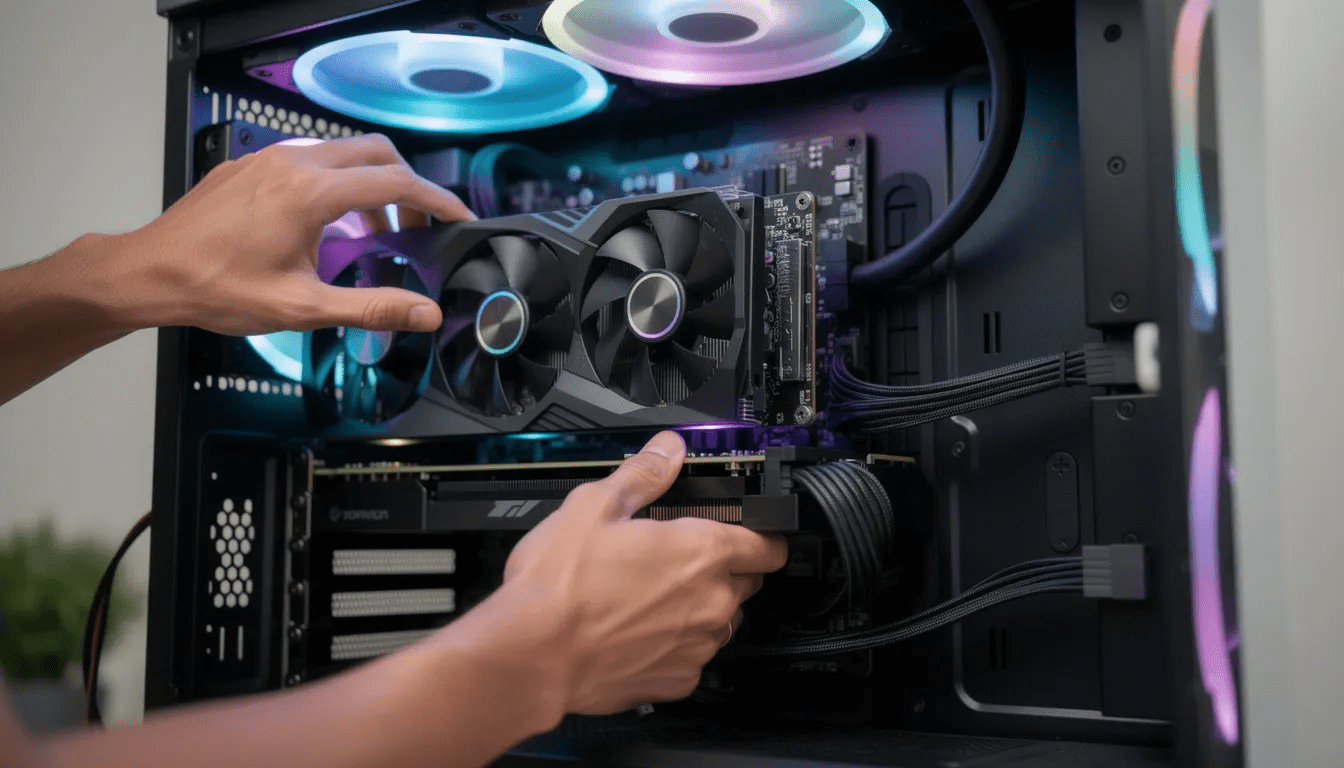
4. CPU, RAM, and Storage: Hitting the Sweet Spot
While your GPU drives frame rates, your choice of CPU, random access memory, and storage significantly impacts system responsiveness, minimum frame rates, load times, and overall gaming experience. Smart selections in these components ensure your gaming system feels fast and remains capable for years.
CPU Recommendations for Gaming in 2025:
Modern games benefit from CPUs with strong single-core performance and adequate multi-threading capabilities. The current sweet spot balances gaming performance with productivity tasks:
-
Intel Core i5-14600K: Excellent mid-range gaming performance with 14 cores (6P+8E)
-
Intel Core i7-14700K: Higher-end option with better multi-threading for streaming/creation
-
AMD Ryzen 5 7600: Budget-friendly option with solid gaming performance
-
AMD Ryzen 7 7800X3D: Premium gaming choice with large 3D cache for maximum frame rates
Modern CPUs, such as Intel Core i5/i7/i9 or AMD Ryzen 5/7/9, are necessary to prevent bottlenecks and ensure smooth gameplay.
AMD’s AM5 platform offers superior long-term upgrade potential, as it’s expected to support multiple future Ryzen generations. Intel’s LGA1700 socket is approaching end-of-life, making AM5 the better choice for future upgrades.
For purely gaming-focused systems, spending more than $400 on a CPU typically yields diminishing returns unless you also perform heavy content creation or streaming. The money saved can be better allocated toward a more powerful GPU.
RAM Requirements in 2025:
Memory requirements have steadily increased as games become more complex and users multitask more heavily:
-
16 GB DDR5: Bare minimum for new systems, adequate for pure gaming
-
32 GB DDR5: Recommended standard for comfortable multitasking and future-proofing
-
Speed targets: 6000-6400 MHz for AMD systems, 5600-7200 MHz for Intel
While 16 GB remains technically sufficient for most games, background applications like Discord, web browsers, and streaming software quickly consume additional memory. Modern AAA titles increasingly benefit from having extra ram available for caching game assets.
Avoid DDR4 in new builds during late 2025, as the price difference with DDR5 has narrowed significantly while DDR5 offers better performance and platform longevity.
Storage Guidelines:
Fast storage has become critical for modern gaming due to improved asset streaming in newer games. Solid-state drives (SSDs) have become much more popular since prices began dropping dramatically, and they speed up boot time and game loading. The choice of storage technology impacts load times and overall system performance, with SSDs being preferred over traditional HDDs:
-
Primary drive: 1 TB PCIe 4.0 NVMe SSD minimum, 2 TB ideal
-
Secondary storage: Additional SATA SSD or traditional HDD for media and older games
-
Performance impact: AAA games launched after 2023 show noticeable improvement running from NVMe vs SATA storage
A common and cost-effective setup is to use a smaller SSD as a solid state drive for your operating system and frequently accessed games, paired with a larger hard drive for storing less frequently played titles and media files.
Individual game install sizes continue growing, with titles like Call of Duty and open-world games frequently requiring 100-200 GB including updates and DLC. Planning for 2 TB of primary SSD storage prevents constant uninstalling and reinstalling of games.
A practical storage configuration pairs a high-speed 2 TB NVMe SSD for the operating system and active games with a larger SATA SSD or HDD for media files and game libraries that don’t require maximum loading speeds.
5. Picking a Case, Cooling, and Power Supply
Your choice of case, cooling system, and power supply determines how quietly, coolly, and reliably your gaming pc operates over its multi-year lifespan. These foundational components deserve careful consideration even though they don’t directly impact frame rates. Modern games require powerful processing and graphics capabilities, making gaming PCs among the most powerful PCs available.
Case Size and Style Options:
Modern graphics cards like the RTX 5090 or triple-fan RX 8900 cards require careful case selection to ensure proper fit and airflow:
-
Full tower: Maximum expansion and cooling potential, accommodates any GPU
-
Mid tower: Most popular choice, balances size with component compatibility
-
Compact/ITX: Space-saving for small desks, requires careful component selection
-
Airflow design: Prioritize mesh front panels over solid glass for better temperatures
Achieving more power in a gaming PC means selecting high-performance components such as a more powerful CPU and GPU, better cooling solutions, and larger capacity RAM. This translates to better gaming performance, higher quality graphics, and smoother gameplay, especially for demanding or high-resolution games.
Large modern GPUs often measure 320mm+ in length and require clearance verification in your chosen case. Check manufacturer specifications carefully, especially for compact builds.
Cooling Considerations:
Adequate cooling maintains performance and reduces noise under gaming loads:
-
CPU cooling: 240mm liquid cooler or large tower air cooler for CPUs like 14600K/7800X3D
-
Case fans: Minimum two intake fans (front/bottom) and one exhaust (rear/top)
-
GPU cooling: Modern graphics cards include robust cooling, focus on case airflow
-
Noise levels: Quality components run quieter than budget alternatives
Popular air cooling solutions include Noctua NH-D15 or DeepCool AK620 towers, while 240mm liquid coolers from Corsair or Arctic provide excellent CPU temperature control with lower noise profiles. For high-performance gaming PCs, liquid cooling is an advanced solution that enhances thermal management, prevents overheating, and can support overclocking to further improve gaming performance.
Power Supply Recommendations:
Your PSU provides stable, efficient power while affecting long-term reliability and energy costs:
Wattage Guidelines:
-
650W: RTX 4060-4070 class systems with mid-range CPUs
-
750-850W: RTX 4080/5080 systems, covers most single-GPU gaming rigs
-
1000W+: Only needed for dual-GPU systems or extreme overclocking
If energy consumption is a primary concern, focus on energy-efficient systems or those with lower power demands to help reduce electricity usage.
Quality Standards:
-
80 Plus Gold minimum: Better efficiency and usually higher build quality
-
Reputable brands: Seasonic, Corsair, EVGA, be quiet! offer reliable units
-
Modular cables: Easier installation and better airflow management
Investing in a quality power supply pays dividends through better efficiency, lower noise, and reduced risk of catastrophic component damage. A good PSU often outlasts multiple hardware upgrade cycles, making it a worthwhile long-term investment.
Aesthetics and RGB:
While not performance-critical, visual elements like tempered glass panels and RGB lighting have become standard in 2025 gaming builds. However, prioritize proper airflow and cable management over pure aesthetics, as thermal performance directly impacts gaming experience and component longevity.
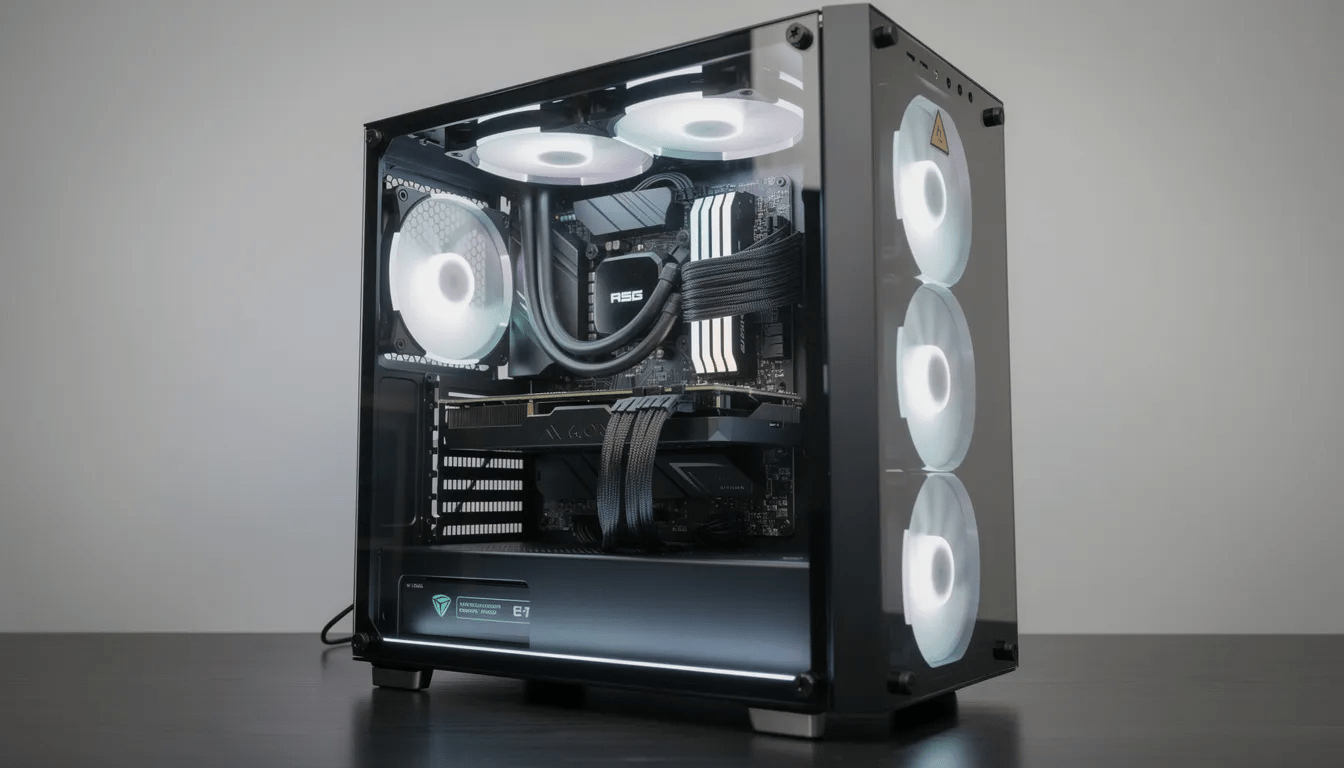
6. Choosing Between Desktop and Gaming Laptop
Gaming laptops in 2025 offer impressive performance that approaches desktop equivalents, but the choice between form factors involves significant trade-offs that affect your long-term gaming experience and value proposition.
Desktop Gaming PC Advantages:
Desktop gaming systems deliver superior price-to-performance ratios and upgrade flexibility:
-
Better performance per dollar: A $1,400 desktop often outperforms a $2,000 gaming laptop
-
Easier upgrades: Swap graphics cards, add storage space, upgrade cooling systems
-
Superior cooling: Larger cases and fans enable sustained high performance with lower noise
-
More connectivity: Multiple monitor support, extensive port selection, room for expansion cards
-
Component choice: Select specific brands for each component based on reviews and preferences
-
Peripheral support: Ensure your gaming PC has sufficient USB ports for connecting gaming peripherals such as keyboards, mice, and headsets.
Gaming Laptop Advantages:
Modern gaming laptops excel in portability while delivering solid performance:
-
Portability: Take your gaming experience to dorm rooms, LAN parties, and travel destinations
-
Compact setup: No separate monitor, keyboard, or speaker requirements
-
Integrated display: High-quality screens often included, sometimes with high refresh rates. Many gaming laptops now include a solid state drive (SSD) for faster boot times and improved system performance, resulting in quicker load times and a smoother gaming experience.
-
Power efficiency: Optimized components for battery life when unplugged
-
Space saving: Ideal for small living spaces or shared rooms
Gaming Laptop Trade-offs:
Several compromises come with laptop form factors:
-
Higher temperatures: Compact cooling leads to thermal throttling under sustained loads
-
Louder operation: Small fans run at higher speeds, creating more noise during gaming
-
Limited upgradeability: Usually only RAM and storage can be upgraded after purchase
-
Battery life: Expect under 2 hours of actual gaming time on battery power
-
Higher cost: Pay premium for miniaturization and integrated components
2025 Gaming Laptop Examples:
Current models like the Asus ROG Strix series, Lenovo Legion Slim lineup, and Razer Blade 16 offer mobile RTX 4070-5090 GPUs with performance approaching their desktop counterparts. However, mobile GPUs typically operate 10-20% slower than desktop versions due to power and thermal constraints.
Decision Framework:
Choose a desktop if you primarily game at a dedicated setup, care about maximum performance per dollar, and want easy upgrade paths for future hardware improvements. Select a gaming laptop if you frequently move between locations, have limited desk space, or prioritize the convenience of an all-in-one solution.
When considering your display, a high-refresh-rate monitor (144Hz or higher) is vital for smooth motion during gaming, especially in competitive titles.
Students and professionals who travel frequently often find gaming laptops worth the premium for the ability to maintain their gaming hobby away from home. Dedicated enthusiasts typically prefer desktops for the superior performance and extensive customization options.
7. Brand and Model Examples to Consider in 2025
Budget Gaming Desktop ($1,000-$1,200)
A representative entry-level system might include:
-
CPU: Intel Core i5-14400F or AMD Ryzen 5 7600
-
GPU: RTX 4060 or RX 7600
-
RAM: 16 GB DDR5-6000
-
Storage: 1 TB NVMe SSD
-
Target performance: 1080p high settings, 60-120 fps in most games
This configuration handles all current esports titles at high refresh rates while managing newer AAA games at comfortable frame rates. Brands like HP, Lenovo, and CyberPowerPC often offer similar specifications in this price range.
Mid-Range Gaming Desktop ($1,600-$1,800)
A well-balanced mid-tier system typically features:
-
CPU: Intel Core i7-14700F or AMD Ryzen 7 7700X
-
GPU: RTX 4070 Super or RX 7800 XT
-
RAM: 32 GB DDR5-6400
-
Storage: 2 TB NVMe SSD
-
Target performance: 1440p high/ultra settings, 80-144 fps in most games
This represents the sweet spot for many gamers, providing excellent 1440p performance with room for future game releases. Systems from MSI, Corsair, and Origin PC frequently target this specification level.
Compact Gaming Desktop ($1,400-$2,000)
Small form factor builds offer space-saving solutions:
-
CPU: AMD Ryzen 7 7800X3D (excellent performance per watt)
-
GPU: RTX 4070 or RX 7800 XT (compact dual-fan models)
-
Case size: 14-20 liters, suitable for living room or small desk setups
-
Special considerations: Premium cooling and PSU costs due to size constraints
Compact systems work well for couch gaming or spaces where a full tower would be impractical, though they typically cost 10-20% more than equivalent mid-tower builds. The Corsair One i500 is recognized for its compact size and strong gaming performance, making it the best small gaming PC.
High-End Gaming Desktop ($2,800-$3,500+)
Enthusiast systems targeting maximum 4K performance include:
-
CPU: Intel Core i9-14900K or AMD Ryzen 9 9950X3D
-
GPU: RTX 5080, RTX 5090, or RX 8900 XTX
-
RAM: 64 GB DDR5 for heavy multitasking and content creation
-
Storage: 2+ TB high-speed NVMe SSD with additional secondary storage
-
Target performance: 4K ultra settings, 60+ fps, premium VR experiences
For balanced high-end performance, pairing an Nvidia GPU such as the RTX 40 or 50 series with a powerful CPU ensures optimal gaming and future-proofing.
These builds serve enthusiasts who want maximum performance in latest AAA titles and often double as content creation workstations for streaming or video editing.
Platform and Brand Considerations
When evaluating specific models from different manufacturers, focus on matching these specification levels rather than exact brand names. Pay particular attention to PSU quality, motherboard features, and cooling solutions, as these components significantly impact long-term reliability and upgrade potential. It’s important to consider other components—such as the CPU, RAM, motherboard, and storage—collectively to ensure a balanced and high-performing gaming system.
Major system integrators like Dell/Alienware, HP Omen, Lenovo Legion, and boutique builders like Maingear or Falcon Northwest each offer advantages in different areas such as warranty support, customization options, or build quality.
2025 Gaming Laptop Examples:
Current models like the Asus ROG Strix series, Lenovo Legion Slim lineup, and Razer Blade 16 offer mobile RTX 4070-5090 GPUs with performance approaching their desktop counterparts. However, mobile GPUs typically operate 10-20% slower than desktop versions due to power and thermal constraints.
Decision Framework:
Choose a desktop if you primarily game at a dedicated setup, care about maximum performance per dollar, and want easy upgrade paths for future hardware improvements. Select a gaming laptop if you frequently move between locations, have limited desk space, or prioritize the convenience of an all-in-one solution.
When considering your display, a high-refresh-rate monitor (144Hz or higher) is vital for smooth motion during gaming, especially in competitive titles.
Students and professionals who travel frequently often find gaming laptops worth the premium for the ability to maintain their gaming hobby away from home. Dedicated enthusiasts typically prefer desktops for the superior performance and extensive customization options.
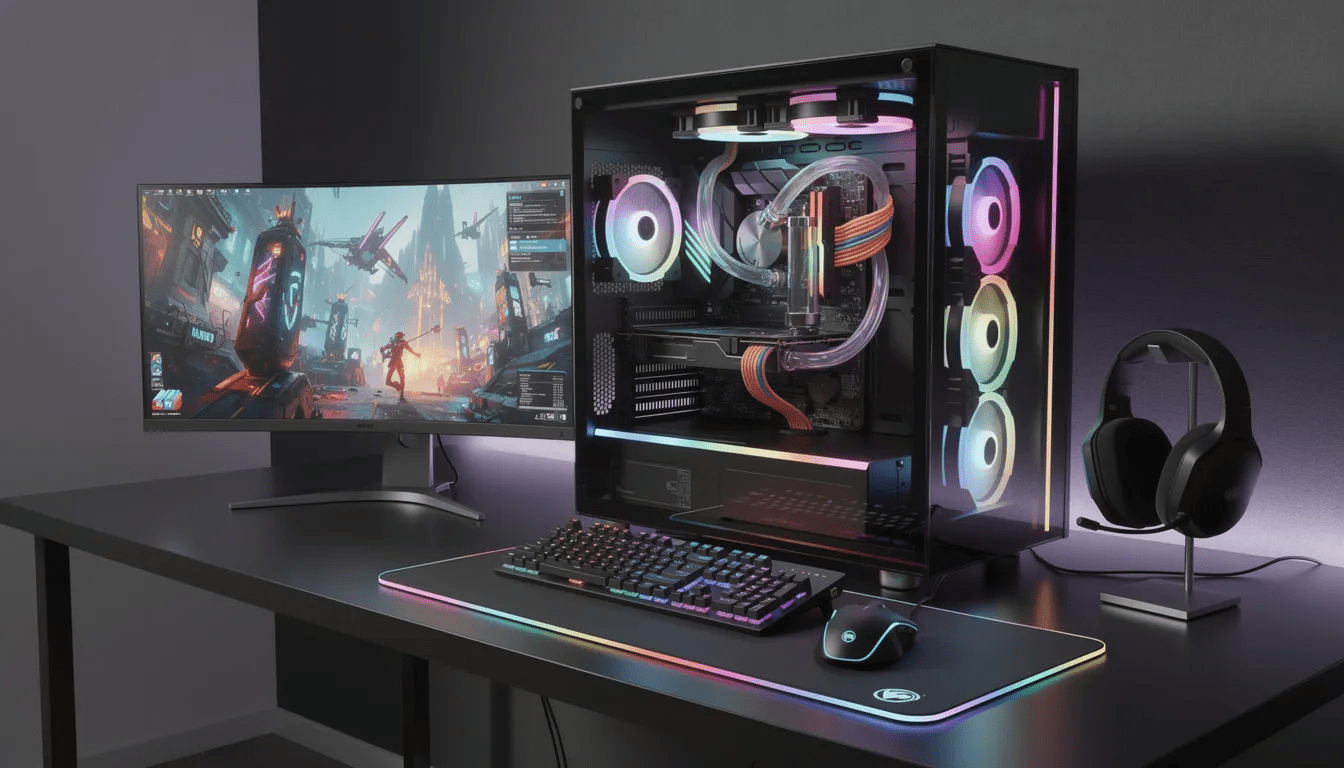
Gaming PC Accessories
The right accessories can elevate your gaming PC setup and make every session more enjoyable. Gaming monitors are a crucial part of the experience—look for models with high refresh rates, low response times, and support for G-Sync or FreeSync to ensure smooth visuals and minimal screen tearing. A quality monitor can make your favorite games look and feel more immersive.
Gaming keyboards and mice are designed for precision and comfort, often featuring customizable buttons, ergonomic shapes, and responsive switches. These peripherals can give you an edge in fast-paced games and help reduce fatigue during long gaming sessions. A good gaming headset is also essential, providing clear audio and a reliable microphone for team communication and immersive soundscapes.
When choosing accessories, consider compatibility with your gaming PC, durability, and price. Investing in quality peripherals not only enhances your gaming experience but also adds to the overall look and feel of your setup. Whether you’re playing competitively or just enjoying a few games with friends, the right accessories can make a noticeable difference in both performance and comfort.
8. Future-Proofing and Upgrading Your Gaming PC
No gaming computer achieves true “future-proofing,” but strategic component selection in 2025 can extend your system’s practical lifespan to 4-6 years while maintaining excellent gaming performance through careful upgrade planning.
Platform Longevity Considerations:
Your motherboard and CPU socket choice significantly impacts future upgrade options:
-
AMD AM5 platform: Expected to support multiple future Ryzen generations through 2027+
-
Intel LGA1700: Near end-of-life with limited future CPU upgrade options
-
DDR5 memory: Will remain current standard for years, unlike transitional DDR4 systems
-
PCIe 5.0 support: Provides headroom for next-generation storage and graphics cards
Choosing AMD’s AM5 platform offers superior long-term upgrade potential, allowing you to replace just the CPU in 2-3 years rather than rebuilding the entire system.
Motherboard Features for Upgradeability:
Select motherboards with expansion room for future components:
-
Multiple M.2 slots: Add faster storage without replacing existing drives
-
Four RAM slots: Enable memory expansion from 16 GB to 32 GB or 64 GB
-
Multiple PCIe slots: Support for sound cards, capture devices, or future technologies
-
Quality VRM design: Ensures compatibility with higher-end CPUs during upgrades
Graphics Card Upgrade Strategy:
GPU upgrades typically provide the largest performance improvements in aging systems:
-
Current mid-range CPUs: Ryzen 7 7800X3D or Core i5-14600K will handle 1-2 future GPU generations
-
PSU headroom: 850W power supplies support most single-GPU upgrades for years
-
Case clearance: Ensure your case accommodates longer future graphics cards
A quality 2025 CPU paired with adequate cooling and power delivery should comfortably handle RTX 60-series or RX 10000-series cards when they arrive in 2027-2028.
Easy Short-Term Upgrades:
Several components offer straightforward performance improvements:
-
Memory expansion: Add another 16 GB kit for better multitasking and future games
-
Storage upgrades: Replace SATA SSDs with faster NVMe drives for better load times
-
Cooling improvements: Add case fans or upgrade CPU coolers for lower temperatures
-
Peripheral upgrades: Better gaming monitors, mechanical keyboards, and high-DPI mice
Software Maintenance:
Maintain optimal performance through regular software updates:
-
GPU drivers: Install latest versions for new game optimizations
-
Windows updates: Keep operating system current for security and compatibility
-
BIOS updates: Occasionally update motherboard firmware for better hardware support
-
Storage maintenance: Regular disk cleanup and defragmentation for traditional HDDs
Upgrade Planning Timeline:
Most gaming systems follow predictable upgrade patterns:
-
Years 1-2: Add RAM or storage as needs grow
-
Years 3-4: Upgrade GPU for better performance in latest games
-
Years 5-6: Consider CPU/motherboard/RAM platform upgrade
-
Beyond 6 years: Plan complete system replacement
Strategic component selection and gradual upgrades often cost less than frequent complete rebuilds while maintaining excellent gaming performance throughout your system’s lifespan.
9. Where and When to Buy for the Best Value
Timing your gaming pc purchase and choosing the right retailers can save hundreds of dollars while ensuring you receive quality components and proper support for your investment.
Optimal Purchase Timing:
Several annual sales periods offer significant discounts on gaming hardware:
-
Black Friday/Cyber Monday (Late November): Largest discounts on complete systems and components
-
Back-to-school sales (August-September): Strong deals targeting students entering college
-
Post-holiday clearance (January): Retailers clearing inventory for new product launches
-
GPU launch periods: Previous generation cards often see substantial price drops
Avoid purchasing immediately before new hardware launches unless you need a system urgently. GPU prices typically drop 15-25% when next-generation cards arrive.
Recommended Retailers:
Different retailers excel in various areas:
Online Retailers:
-
Amazon: Broad selection, fast shipping, good return policy
-
Newegg: PC specialist with extensive component selection and technical information
-
Best Buy: Price matching, local pickup, Geek Squad support services
-
Micro Center: Physical locations offer competitive pricing and knowledgeable staff
Direct from Manufacturers:
-
Dell/Alienware, HP, Lenovo: Factory warranties and customization options
-
Corsair, MSI, NZXT: Enthusiast-focused builds with premium support
-
Custom integrators: Origin PC, Maingear, Falcon Northwest for boutique builds
Deal Hunting Strategies:
Maximize your buying power through strategic shopping:
-
Bundle deals: Look for free games, extra storage, or gaming peripherals with new GPU purchases
-
Open box items: Significant savings on returned but unused components
-
Manufacturer promotions: Special pricing during RTX 50-series or RX 8000-9000 launches
-
Student discounts: Educational pricing from major manufacturers
Warning Signs to Avoid:
Protect yourself from poor-value purchases:
-
No-name brands: Avoid systems with unrecognizable PSU or motherboard brands
-
Vague specifications: Listings should specify exact GPU models, not just “dedicated graphics”
-
Unusually low prices: RTX 4090/5090 systems under $2,500 likely use inferior components
-
Poor return policies: Ensure at least 30-day returns with reasonable restocking fees
Regional Considerations:
Pricing varies significantly by location:
-
US buyers: Micro Center physical stores often beat online pricing
-
International shipping: Factor customs duties and extended warranty coverage
-
Local availability: Some regions have limited access to latest GPU generations
Warranty and Support:
Prioritize retailers and manufacturers offering:
-
Minimum 1-year warranties: Standard for most reputable gaming pc builders
-
Technical support: Phone or chat assistance for troubleshooting
-
Parts availability: Replacement components accessible in your region
-
Labor coverage: Some pre built gaming pcs include on-site repair services
Planning your purchase around major sales events while choosing reputable retailers ensures you receive the best value and support for your gaming system investment.
Troubleshooting Common Issues
Even the best gaming PC can run into occasional hiccups, but knowing how to troubleshoot common issues can keep your gaming experience smooth and frustration-free. Overheating is a frequent problem, especially during intense gaming sessions. Make sure your cooling system is working properly—clean out dust, check that fans are spinning, and consider upgrading to a more efficient cooler if needed.
If you notice slow performance or graphics glitches, start by updating your drivers and ensuring your PC meets the system requirements for the games you’re playing. Monitoring your PC’s temperature, voltage, and fan speeds can help you catch potential issues early. Tools like hardware monitoring software make it easy to keep an eye on your system’s health.
Regular maintenance, such as keeping your operating system and drivers up to date, can prevent many common problems. If you’re unsure how to fix an issue, don’t hesitate to consult online forums, user manuals, or reach out to the manufacturer’s support team. Taking a proactive approach to troubleshooting helps you get back to gaming quickly and keeps your PC running at its best.
Warranty and Support
When buying a gaming PC, warranty and support are just as important as the hardware itself. A strong warranty gives you peace of mind, covering parts and labor for a reasonable period in case something goes wrong. Look for manufacturers that offer comprehensive coverage and make it easy to get help when you need it.
Good support should be accessible through multiple channels, such as phone, email, and online chat, so you can quickly resolve any issues that arise. Many reputable gaming PC brands also provide online resources, including troubleshooting guides and driver downloads, to help you maintain your system.
Choosing a gaming PC with a solid warranty and responsive support ensures that you’re protected against unexpected problems and can get back to gaming with minimal downtime. It’s a key factor to consider when making your purchase, especially if you’re investing in a high-end system or planning to use your PC for years to come.
Gaming PC Community
The gaming PC community is a thriving network of enthusiasts, builders, and gamers who share a passion for pc gaming and high-performance systems. Whether you’re interested in gaming desktops, gaming laptops, or building your first gaming rig, connecting with the community can provide valuable insights and support.
Online forums, social media groups, and dedicated websites are great places to ask questions about pc components, get advice on future upgrades, and learn about the latest graphics cards, CPUs, and other peripherals. Many members share their experiences with prebuilt gaming pcs, budget gaming pc builds, and custom setups, helping newcomers and veterans alike make informed decisions.
Being part of the gaming community also means staying up-to-date with trends like nvidia geforce rtx releases, amd ryzen gen chips, and new cooling system innovations. You’ll find tips on optimizing your operating system, choosing the best gaming monitors, and managing storage space for large files and modern games.
Whether you’re troubleshooting your first pc, planning a mid range upgrade, or just want to show off your gaming rig, the community offers camaraderie and a wealth of knowledge. Engaging with others can help you get the most out of your gaming experience, discover the best gaming pc options for your needs, and enjoy the journey of pc gaming to the fullest.
FAQ
Q: How much should I spend on a gaming PC in 2025 if I mainly play games like Valorant and Fortnite?
A: For esports at 1080p with high frame rates (144–240 fps), a budget gaming pc around $900–$1,200 is usually sufficient in late 2025. Look for systems with a Core i5-14400F or Ryzen 5 7600, 16 GB DDR5 RAM, an RTX 4060 or RX 7600 GPU, and at least a 1 TB NVMe SSD. You don’t need an RTX 4080/5090 unless you also want ultra settings in heavy AAA games or plan to upgrade to 1440p gaming later.
Q: Is 32 GB of RAM really necessary for gaming, or is 16 GB still fine?
A: In 2025, 16 GB DDR5 remains acceptable for most games, but newer titles and heavy multitasking (Discord, Chrome, streaming, background apps) can push close to that limit. If your budget allows, 32 GB DDR5 provides better long-term value, especially for open-world AAA games, heavily modded titles, and content creation alongside pc gaming. The price difference has narrowed significantly, making 32 GB the recommended standard for new builds.
Q: Should I wait for the next GPU generation, or buy now?
A: If Nvidia’s RTX 50-series and AMD’s current Radeon RX 8000–9000 cards are already widely available in your region, you’re safe to buy now. Major generational jumps typically occur every 18–24 months, and waiting indefinitely means missing out on gaming time. Only delay your purchase if a new generation is officially launching within the next 2–3 months and you’re not in a hurry to upgrade your current gaming rig.
Q: Can I use a gaming PC for work like video editing or 3D rendering?
A: Yes, absolutely. A modern gaming pc with a mid-range or higher GPU (RTX 4070 or better), 32 GB RAM, and a fast multi-core CPU (Ryzen 7 7800X3D, Ryzen 9, or Intel Core i7/i9) handles video editing in Adobe Premiere Pro, 3D work in Blender, and software development extremely well. For mixed gaming and productivity performance, prioritize extra RAM and storage space over RGB lighting and focus on components inside that deliver solid performance for both use cases.
Q: Do I need special Internet or networking gear for online PC gaming?
A: You don’t need anything exotic, but a stable ethernet connection matters far more than raw download speed for gaming performance. Aim for at least a 50 Mbps broadband line and, if possible, use a wired connection from your router to your gaming system. If you must use Wi-Fi, look for gaming desktops with Wi-Fi 6 or Wi-Fi 7 support and place the system close to your router for the lowest possible latency in online multiplayer games.