
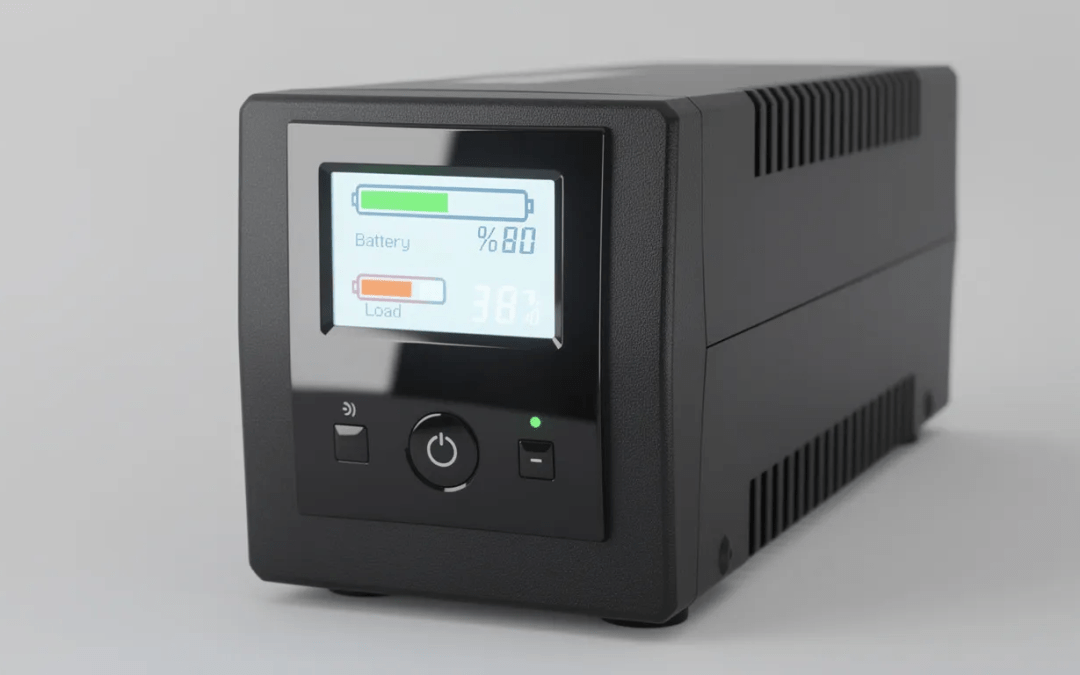
Key Takeaways
-
A UPS protects your PC from blackouts, brownouts, and power surges while providing enough time for a safe shutdown—typically 5–20 minutes of runtime, not hours of off-grid gaming.
-
Pure sine wave UPS units are strongly recommended for modern gaming PSUs with active PFC, especially systems with high-end GPUs released after 2020.
-
Most home users should focus on VA/watt ratings (650VA, 1000VA, 1500VA) and features like automatic voltage regulation, software integration, and outlet layout.
-
Line-interactive UPS models offer the best balance of price, protection, and reliability for gaming PCs and home offices in 2024.
-
This guide covers concrete model examples including the CyberPower CP1500PFCLCD, APC BGM1500B-US, and CyberPower EC650LCD, along with practical sizing tips for your specific setup.
What a UPS for PC Actually Does (and What It Doesn’t)
An uninterruptible power supply keeps your PC briefly powered during outages and cleans up dirty power before it reaches your components. Think of it as a combination of a short-term battery backup and a power conditioner—not a replacement for your utility company.
Here’s what a UPS actually handles:
-
Blackouts and complete outages: When the grid drops, your UPS bridges short power cuts lasting seconds to minutes. This gives Windows or Linux enough time to save your work and shut down safely instead of crashing mid-operation. Most consumer UPS units for PCs provide roughly 5–15 minutes of backup power at full load.
-
Brownouts and voltage sags: During storms or periods of high grid demand, voltage can dip below normal levels. A UPS with automatic voltage regulation stabilizes this fluctuating input, protecting your PSU from working overtime to compensate for inadequate mains voltage.
-
Surge protection: A quality UPS typically includes surge protection comparable to a midrange surge protector, shielding your CPU, GPU, SSDs, and monitors from transient voltage spikes. This protection works whether you’re running on mains or battery power.
-
Not a mini generator: Even large 1500VA UPS units are designed for minutes of runtime, not hours of gaming during a blackout. The goal is to ride through brief interruptions or have enough time to save your progress and power down gracefully.
-
Different from whole-house solutions: Whole-house generators like Generac systems can run for hours or days on fuel, but they have a startup delay of several seconds to a minute. Portable power stations offer extended runtime but lack the instantaneous transfer capability of a UPS. A proper UPS bridges the gap with near-zero transfer time, making it ideal for sensitive electronics that can’t tolerate even a half-second dropout.
Do You Really Need a UPS for Your PC?
Not every PC absolutely needs a UPS, but many setups benefit significantly from one—especially if you live in an area with an unstable power grid, frequent storms, or aging electrical infrastructure.
-
Gaming PC users: If you’re running a 600–1000W gaming rig with an RTX 4070, RTX 4080, or RX 7800 XT class GPU, power stability matters for long sessions. A sudden power anomaly during a ranked competitive match or while saving game progress can mean lost data, corrupted files, or a damaged filesystem. PC gaming sessions that stretch into hours represent real risk during storm season.
-
Home office and remote workers: Since 2020, more people work from home than ever. A power outage during a video call with clients, while submitting a deadline, or while connected to remote servers can cost you more than just inconvenience. Battery backup power ensures you have time to gracefully exit applications and notify colleagues before going offline.
-
Content creators and streamers: Active recording sessions, OBS streaming, and local video encoding jobs are particularly vulnerable. Losing power mid-render on a multi-hour project means starting over. For streamers, it means a dropped broadcast and potentially disappointed viewers.
-
Small but critical network equipment: Your modem, router, and any network-attached storage devices benefit from staying online during outages. A modest UPS can keep your internet connection alive for 15–30 minutes or longer, letting you finish uploads or notify others about the outage from your phone.
-
When a surge protector alone may suffice: If you have a budget PC, live in an area with a very stable power grid, and primarily use your computer for non-critical tasks, a quality power strip with surge protected outlets might be adequate. Just make sure you’re backing up important files regularly as your safety net.
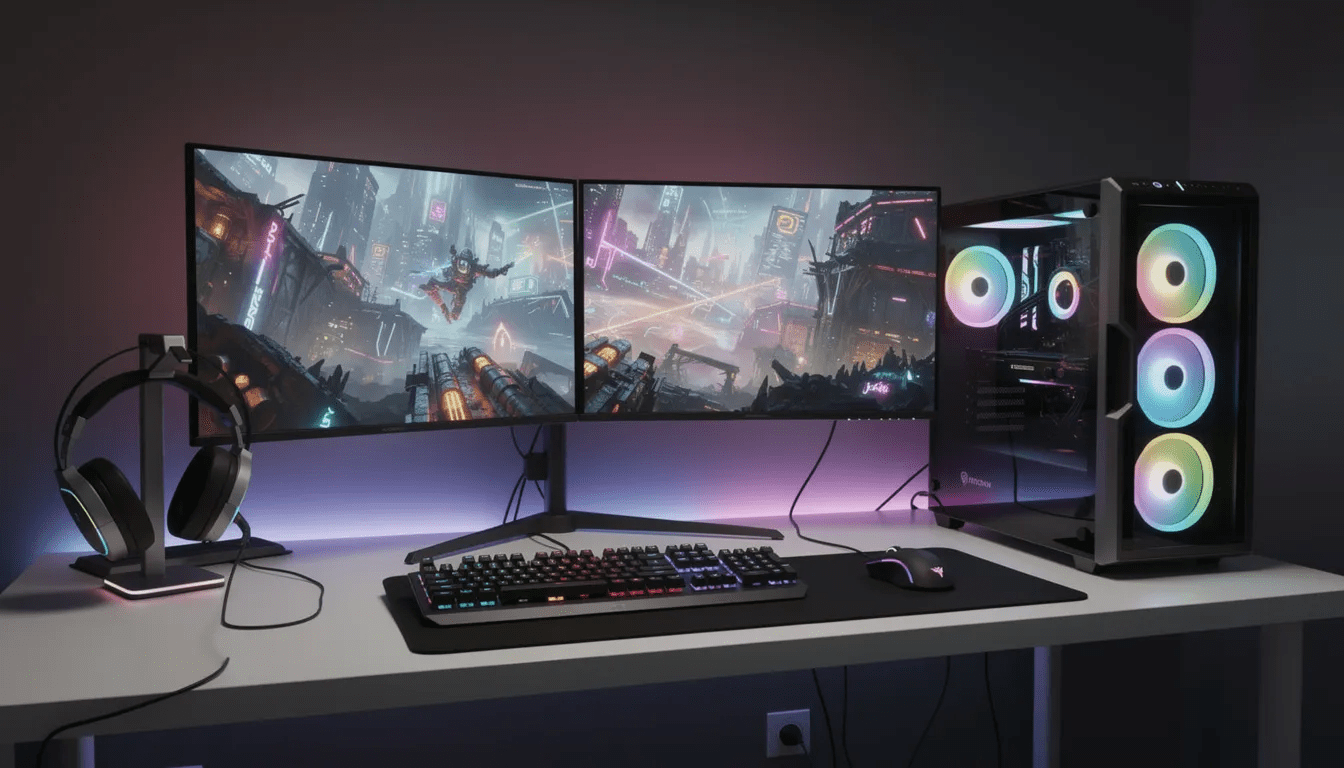
How to Size a UPS for Your PC
Understanding VA versus watts is the first step in sizing. Most consumer UPS units for PCs range from 600VA to 1500VA as of 2024, with watt ratings that are typically 60–70% of the VA number due to power factor considerations.
-
Check your PSU wattage label: Look at your power supply unit (often 650W, 750W, or 850W for gaming PCs). Your actual gaming load typically runs at 50–70% of that rating. A 750W PSU doesn’t constantly draw 750W—under typical gaming conditions, expect around 400–500W at the wall.
-
VA rating vs watt rating on UPS units: A UPS labeled 1500VA/900W can deliver up to 900 watts continuously. Keep your expected continuous load at or below 60–70% of the UPS watt rating to maintain adequate runtime and avoid stressing the unit. This means a 900W-rated UPS should ideally support no more than 540–630W of actual load.
-
Concrete sizing examples:
-
650VA (~360–400W) works for basic office PCs plus a modem and router
-
1000VA (~600W) handles midrange gaming rigs with a single monitor
-
1500VA (~900W) supports high-end gaming PCs and ultrawide or dual monitors
-
-
Realistic runtime expectations: A 1500VA unit typically provides 10–20 minutes for a 500–600W gaming PC plus monitor. A 650VA unit might give you 5–8 minutes at 250–300W. These numbers assume reasonably fresh batteries—older UPS units will deliver less.
-
Prioritizing battery-backed outlets: Plug your tower PC, primary monitor, and router/modem into the battery-backed outlets. Use the surge-only outlets for peripherals like speakers, printers, and charging stations. Never plug a laser printer into the battery side—they can draw too much power during operation and overload the UPS instantly.
Types of UPS for PC: Line-Interactive, Standby, and Online
Most gamers and home users buy standby or line-interactive UPS units rather than expensive online double-conversion systems. Understanding the differences helps you make a smarter purchase.
-
Standby/offline UPS: The most basic and cheapest topology. Under normal conditions, your PC receives power directly from the wall. When the UPS detects a power failure, it switches to battery power with a typical transfer time of 4–10 milliseconds. This approach is adequate for non-sensitive office PCs and basic home use.
-
Line-interactive UPS: Includes automatic voltage regulation that corrects for brownouts and overvoltage without switching to battery. This extends battery life and provides more stable output during minor grid fluctuations. Common in mid-price models from CyberPower, APC, and Tripp Lite by Eaton. Transfer times are typically 2–4ms.
-
Online/double-conversion UPS: Your connected equipment always runs off the inverter, with zero transfer time because there’s no switching involved. The AC power continuously flows through the rectifier and inverter stages. These systems are typically used in server rooms or for mission-critical applications due to higher cost, increased heat output, and fan noise.
-
Best choice for 2024: Line-interactive UPS units represent the default recommendation for gaming PCs and home offices. They balance price, AVR functionality, and reliability effectively. Unless you’re running servers or have specific power quality requirements, online UPS is overkill for consumer PC applications.
Sine-Wave vs Simulated Sine-Wave: What Your PC Power Supply Expects
Modern PC PSUs, especially 80 Plus Gold and Platinum units with active power factor correction, are designed around clean AC power. The type of sine wave output your UPS produces can significantly affect compatibility.
-
Pure sine wave output: Closely matches the 120V AC or 230V AC waveform from your wall outlet. High-quality PSUs with active PFC expect this clean power flowing through their input stages. A pure sine wave UPS produces smooth, continuous output with minimal harmonic distortion.
-
Simulated/modified sine wave output: Uses a stepped approximation with pulse-width modulation to create something that roughly resembles AC power. This approach is cheaper to implement but produces a “blocky” waveform that some sensitive electronics dislike.
-
Compatibility issues to watch for: Some active PFC power supplies may click, buzz, reboot, or shut down entirely when switched to simulated sine wave during an outage—especially under heavy GPU load. This happens because the PSU’s input circuitry expects a smooth waveform and can’t cleanly process the stepped approximation.
-
Recommended models for gaming PCs: Pure sine wave models like the CyberPower CP1500PFCLCD and APC Back-UPS Pro Gaming BGM1500B-US are strongly recommended for gaming PCs built after 2018 with high-wattage GPUs and PSUs. The extra cost is worth the compatibility assurance.
-
When simulated sine wave may work fine: Entry-level or office PCs with lower-power PSUs often tolerate simulated sine wave UPS output without issues. If you go this route, test by unplugging the UPS from the wall while under moderate load to confirm your PC stays stable during the transfer.
Best UPS Options for PC in 2024
These model families appear consistently in recommendations from PC-focused outlets, major retailers, and user communities as of late 2024. Prices and availability fluctuate, so verify current details before purchasing.
-
CyberPower CP1500PFCLCD: This 1500VA/1000W unit delivers true sine wave output, includes an informative LCD screen, and provides roughly 10–20 minutes of runtime for a mid-to-high-end gaming PC. It’s a frequent recommendation among PC gamers and handles RTX 4070/4080-level builds without compatibility concerns. The user replaceable battery design means you can swap cells after 3–5 years instead of replacing the entire unit.
-
APC Back-UPS Pro Gaming BGM1500B-US: This APC UPS delivers 1500VA sinewave output with AVR and gaming-oriented design touches including status lighting. It features USB-C charging ports for headsets, controllers, and phones. Designed specifically for RGB-heavy gaming setups and streaming stations that demand stable protection and enough power for multi-monitor configurations.
-
CyberPower EC650LCD: A compact size 650VA option with ECO mode that works well for budget gaming rigs or single-office PCs. The eco mode reduces energy consumption during normal operation. This unit can keep a modest PC or your router plus modem combination powered long enough for a safe shutdown during short outages.
-
CyberPower LE1000DG: A 1000VA line-interactive option featuring 12 outlets (with about half on battery backup). Includes AVR and user-replaceable battery design. Suitable for home office PCs plus networking equipment, with runtimes extending to a few hours when only powering small devices like modems and routers.
Check current pricing and availability on sites like Amazon, Newegg, or manufacturer stores. Model revisions, discounts, and regional availability change frequently throughout the year.
Runtime Expectations: How Long Will a UPS Keep a PC Running?
Understanding Real-World UPS Runtime
Marketing materials often quote runtimes based on light loads, but gaming or rendering pushes systems much harder. Real-world numbers look quite different from spec sheets.
-
Concrete runtime examples:
-
A 1500VA/900W UPS may power a 450W gaming PC plus 100W monitor for roughly 10–15 minutes
-
The same unit might only last 5–8 minutes if both CPU and GPU are under maximum synthetic load
-
A 650VA UPS can run a 70W modem/router plus 30W access point for 2–3 hours
-
-
Extending available runtime: Keep speakers, printers, consoles, and other peripherals on surge-only outlets rather than battery-backed outlets. Every watt you remove from the battery load meaningfully extends how long your critical devices plugged into battery outlets stay powered.
-
Setting realistic expectations: The goal isn’t to keep gaming indefinitely without grid power. You want enough time to save work, maybe finish a match if possible, and safely shut down before the battery runs out. Five to fifteen minutes is plenty for orderly shutdown.
Estimating Your Own Runtime
Linking runtime estimates to your actual power draw gives you useful predictions rather than manufacturer guesses.
-
Measure your real consumption: Use software monitoring tools like HWMonitor, MSI Afterburner, or Linux power utilities to see approximate system power. For accurate wall measurements, a hardware wattmeter like the Kill A Watt costs under $30 and shows exactly how much your system draws under gaming load.
-
Consult manufacturer runtime charts: Most UPS manufacturers publish detailed runtime charts showing minutes of backup at various watt loads. Look up your model’s official chart and cross-reference with your measured power draw for realistic expectations.
-
Perform a safe test: After installing a new UPS, simulate an outage by unplugging from the wall while under moderate load. This confirms your PC stays on during transfer, the UPS behaves correctly, and gives you a practical feel for remaining runtime. Better to discover problems during a controlled test than during an actual storm.
Key Features to Look For in a PC UPS
Protection and Power Quality Features
Beyond VA and watt ratings, the right feature set makes a UPS more reliable and easier to live with daily.
-
Automatic Voltage Regulation (AVR): This feature smooths out high and low mains voltage without switching to battery power. Your connected equipment receives consistent voltage even when your wall outlet fluctuates between 110V and 125V. This reduces battery cycling and extends overall battery life.
-
Surge joule rating: Look for models with clearly stated surge suppression specifications. Better UPS units offer 1000+ joules of surge protection for sensitive electronics. This matters for protecting expensive GPUs and motherboards from power events.
-
Transfer time specifications: Typical 4–10ms switchover times work fine for most modern PSUs. The hold-up capacitors in quality power supplies easily ride through gaps this short. Only extremely sensitive equipment needs the zero-transfer-time capability of online UPS systems.
-
Data line protection: Some UPS units offer RJ-45/Ethernet or coax surge ports. These can protect network equipment during storms when lightning induces surges through phone or cable lines—not just through power wiring.
Usability and Connectivity
These quality-of-life features make daily UPS ownership less annoying and more informative.
-
Outlet layout and spacing: Typical units offer 8–12 outlets, with a subset on battery backup and the rest surge-only. Ensure adequate spacing for large PC power cables and wall-wart adapters. Nothing is more frustrating than buying a UPS only to find your GPU power brick blocks adjacent outlets.
-
LCD screen displays: Front panels showing load percentage, estimated run time, and input line voltage make monitoring and troubleshooting straightforward. You can immediately tell if your UPS is overloaded or if your mains voltage is running low before problems occur.
-
Power management software integration: Vendor tools like CyberPower PowerPanel, APC PowerChute, or Eaton utilities enable automatic OS shutdown when battery reaches critical levels. This software also logs power events over time, helping you understand your local power quality.
-
USB-A and USB-C charging ports: Newer gaming-focused models include USB ports for charging headsets, controllers, and phones. These draw from mains power and don’t significantly impact battery runtime during outages.
-
User-replaceable batteries: When batteries wear out after 3–5 years, units with accessible battery compartments let you swap in new cells for $30–60 rather than replacing a $150+ UPS. This dramatically extends the useful lifespan of your investment.
Installation, Setup, and Safe Use
Correct setup maximizes both protection quality and battery lifespan from day one.
-
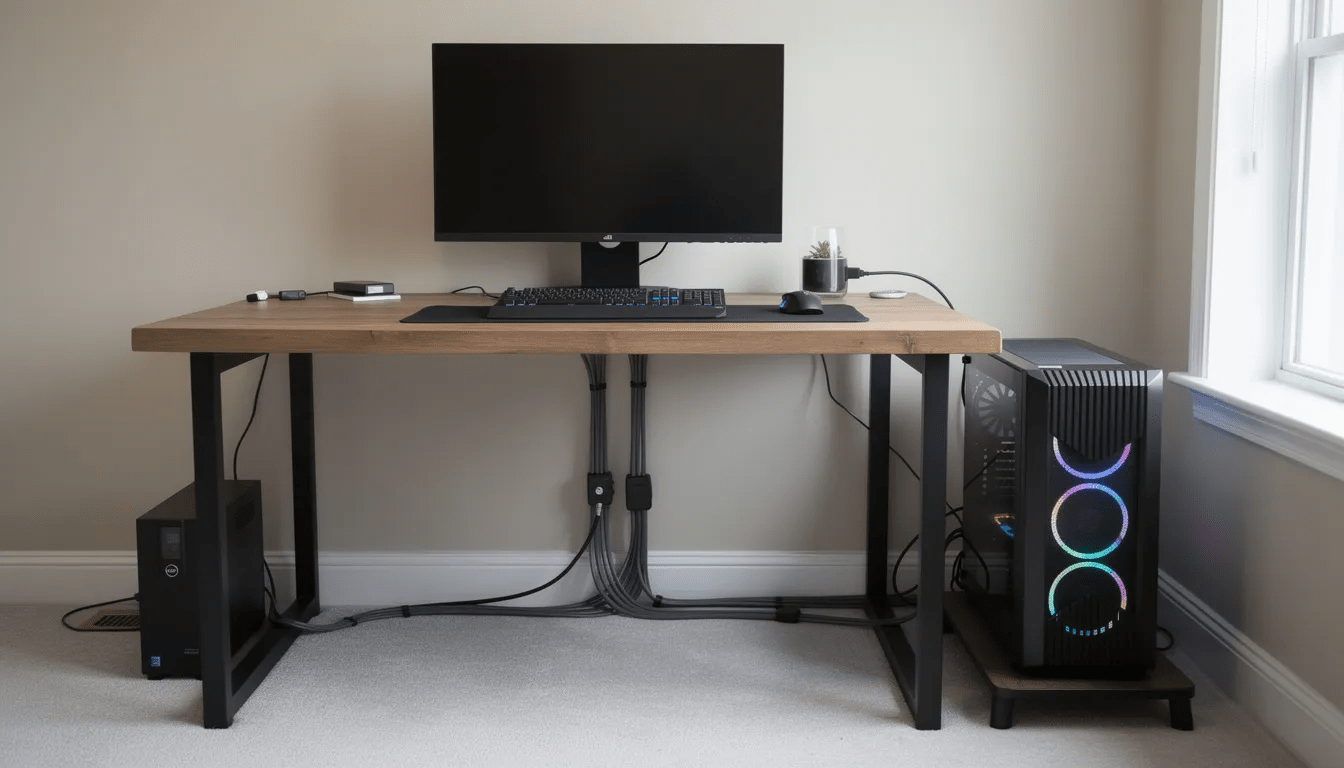
Placement considerations: Position your UPS in a well-ventilated area on a hard, flat surface. Avoid placing it on carpet that blocks bottom vents or traps heat around the unit. Heat is the primary enemy of lead-acid battery life.
-
Initial charging: Charge the UPS fully—often 8–12 hours—before relying on it for serious protection. Most units charge automatically when plugged in, but verify yours is actually charging via the front panel or software before trusting it with your hardware.
-
What to plug into battery-backed outlets: Tower PC, primary monitor, modem, router, and optionally a low-power NAS. These represent your critical load that needs to stay online during brief outages or get enough power for clean shutdown.
-
What to avoid on battery outlets: Never connect laser printers, space heaters, air conditioners, or high-wattage amplifiers to battery-backed outlets. These can draw too much power and cause the UPS to overload, potentially dropping your PC at the worst moment. Use an extension cord from a separate wall outlet for high-draw devices.
-
Configure auto-shutdown software: Enable and test the shutdown functionality so your PC powers down gracefully during longer outages before the battery is exhausted. This prevents the abrupt cutoff that causes filesystem corruption and potential data loss.
-
Regular testing and monitoring: Test your UPS semi-annually by pulling the plug briefly while watching system behavior. Document any odd noises, burning smells, or persistent error lights—these often indicate a failing battery that needs replacement before it leaves you unprotected.
Maintenance, Battery Replacement, and Lifespan
UPS batteries are consumables with a typical 3–5 year lifespan, depending on ambient temperature, discharge cycles, and overall quality. Planning for replacement keeps your protection working properly.
-
Signs of battery wear: Sharply reduced runtime compared to when new, the UPS beeping sooner than expected during outages, or frequent fault LEDs all indicate aging batteries. If your 15-minute UPS now only provides 3 minutes, it’s time for new cells.
-
Checking replaceability: Verify whether your model has a user-accessible battery compartment before purchasing. Use official or reputable replacement batteries with the correct voltage and amp-hour rating. Generic batteries work fine in many cases but check reviews for your specific model.
-
Proper disposal of old batteries: Old sealed lead-acid batteries contain hazardous materials and should be recycled through electronics retailers (Best Buy, Staples) or municipal e-waste programs. Never throw UPS batteries into household trash—it’s both dangerous and illegal in many jurisdictions.
-
Firmware and software updates: Some modern UPS units support firmware upgrades that fix bugs and improve compatibility with newer operating systems. Check your manufacturer’s website occasionally for updates, especially if you’re experiencing odd behavior or compatibility issues with new hardware.
FAQ
Can I plug my gaming laptop and desktop PC into the same UPS?
Yes, as long as their combined power draw under load stays safely below the UPS’s watt rating—ideally under 60–70% of capacity. For example, a 1500VA/900W unit might handle a 350W desktop plus a 150W gaming laptop, but you should verify with a wattmeter and leave headroom for power spikes. Most gamers find that gaming simultaneously on both machines while on battery drains the UPS faster than expected.
Will a UPS improve my gaming performance or reduce input lag?
A UPS does not increase FPS or directly reduce input lag. Its main role is to stabilize power and prevent crashes. However, by smoothing voltage dips and preventing sudden shutdowns, it reduces the risk of corrupted game files, damaged save data, or OS issues that might otherwise affect performance over time. Think of it as insurance rather than a performance upgrade.
Is it safe to plug a power strip into a UPS?
It can be safe if you plug a basic, non-surge power strip into the battery-backed outlets and keep the total load within limits. This approach gives you additional outlets for smaller accessories like USB hubs or functional lighting. Do not daisy-chain multiple surge protectors or another UPS, because stacking surge circuits can interfere with protection and may violate manufacturer guidelines or warranties.
How loud is a typical UPS when running?
Most home UPS units are nearly silent on mains power, producing only faint transformer hum if you listen closely. During a power outage, they emit a steady or intermittent beep to alert you and may spin up cooling fans. Pure sinewave higher-capacity units often have more noticeable fans under heavy battery load, but this only matters during actual outages rather than normal operation.
Can I use a UPS with a console (PS5, Xbox Series X) and a PC together?
Yes, you can protect both as long as you size the UPS for their combined wattage plus the TV or monitor. For instance, a PS5 drawing roughly 200–220W while gaming, plus a midrange gaming PC at 350–450W, and a TV may require a 1500VA-class UPS to provide several minutes of runtime. This gives you enough time to save progress on both platforms and power down cleanly rather than losing your reactor circle ticks in whatever game you’re playing.