
Key Takeaways
-
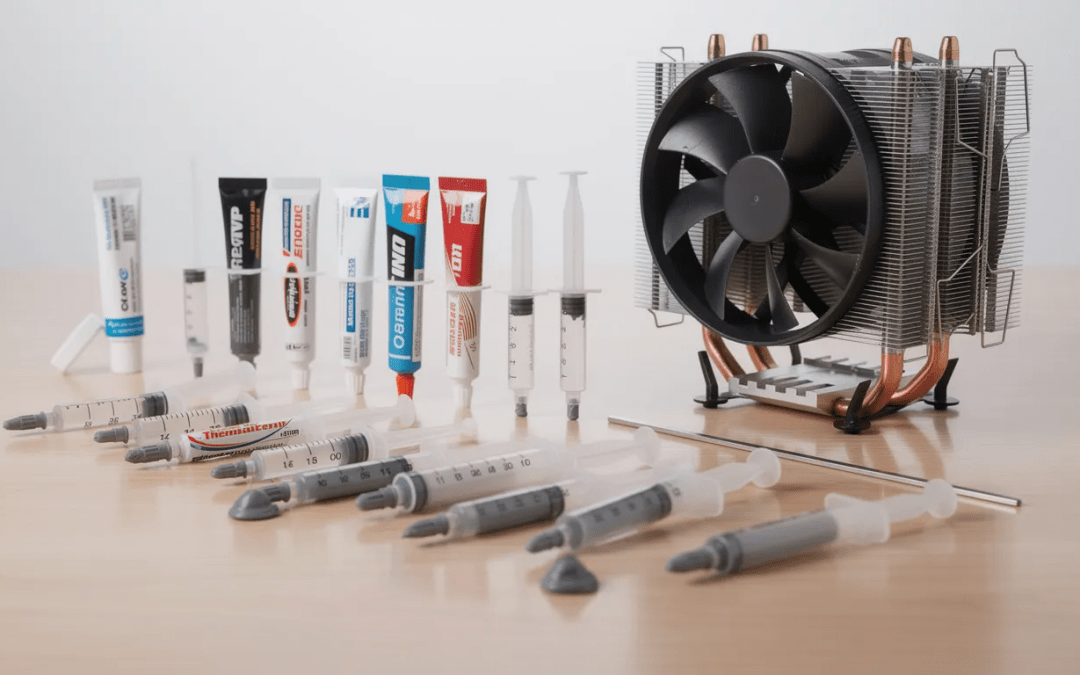
- Thermal Grizzly Kryonaut, Arctic MX-6, and Noctua NT-H2 are the top overall choices in 2025 based on extensive testing on Ryzen 7000 and Intel 14th-gen CPUs, with all three performing within roughly 1°C of each other under load.
- Liquid metal options like Thermal Grizzly Conductonaut can cut CPU temps by 5–10°C compared to standard paste, but they conduct electricity and can damage aluminum coolers—only recommended for experienced users.
- Quality midrange pastes such as Arctic MX-4, Thermalright TF7, and Thermal Grizzly Hydronaut run within 2–3°C of premium options, making them more than sufficient for most gaming PCs and office systems.
- For typical home and gaming use with quality paste, replacing every 2–3 years is adequate; 24/7 workstations and high-TDP systems benefit from 1–2 year intervals.
- Correct application technique (pea-sized dot, properly cleaned surfaces, even cooler mounting pressure) matters more than chasing small spec differences like 11.8 vs 12.5 W/mK.
Thermal paste is one of those components that sits quietly between your CPU and cooler, doing critical work that most PC enthusiasts never think about until temperatures start climbing. The reality is that choosing the right thermal paste can mean the difference between a processor that runs cool and quiet versus one that throttles under load.
With dozens of options flooding the market—each claiming superior thermal conductivity and long-term stability—it’s easy to feel overwhelmed. Do you really need liquid metal? Is that $15 premium paste worth it over a $6 budget option? And what about those new graphene pads everyone’s talking about?
This guide cuts through the marketing noise with real test data from 2022–2025 benchmarks on modern CPUs. Whether you’re building a new PC, upgrading an aging system, or just trying to shave a few degrees off your gaming rig, you’ll find a clear recommendation here.
How This “Best CPU Thermal Paste” List Was Chosen
The rankings in this guide are based on independent test data from 2022–2025, specifically focusing on modern CPUs like the Intel Core i9-14900K, i7-14700K, Ryzen 9 7950X, and 7800X3D. All testing was conducted under controlled ambient temperature conditions to ensure fair comparisons.
Here’s the methodology behind these recommendations:
-
Standardized workloads: Repeatable stress tests using Cinebench R23 and Prime95 for 15–30 minutes, measuring both idle and full load temperatures
-
Delta over ambient: Temperature measurements recorded as degrees above room temperature to account for environmental variations
-
Consistent hardware: Same cooler and mounting pressure used across all paste comparisons within each test setup
-
Grouped categories: Pastes organized into standard non-conductive, premium non-conductive, liquid metal, and pads/phase-change materials
-
Real-world focus: Rankings based on maximum temperature, average temperature, and ease of application
Marketing W/mK numbers were treated as secondary information. When real-world temperature differences fall below approximately 1°C, the pastes are considered effectively tied. Manufacturers measure thermal conductivity under varying lab conditions, so a paste rated at 12.5 W/mK from one brand isn’t directly comparable to another brand’s 11.8 W/mK rating.
Finally, availability and realistic 2025 street pricing in the USA and EU were factored in. A great paste that’s perpetually out of stock or costs three times the competition isn’t truly the “best” for most builders.
Best Overall Thermal Pastes for Most Users (2025)
If you want to skip the deep dive and just grab something excellent for your gaming PC or workstation, this section has your answer. These three pastes represent the sweet spot of performance, safety, and value in 2025.
Thermal Grizzly Kryonaut — Best High-End Overall
Kryonaut has earned its reputation as the go-to premium thermal compound for PC enthusiasts and overclockers. On the Intel Core i9-14900K and Ryzen 9 7950X, it typically runs 1–2°C cooler than midrange alternatives under sustained load.
-
Thermal conductivity: 12.5 W/mK (rated)
-
Price: Around $7–8 for 1g
-
Key features: Non-conductive, excellent for overclocked air and AIO builds, smooth consistency for easy application
Kryonaut works particularly well on high-TDP processors where every degree counts. Its viscosity strikes a good balance between spreading easily and resisting pump-out over time.
Arctic MX-6 — Best Value Performance Paste
Arctic’s MX-6 launched in 2022 and quickly became the value champion. In head-to-head testing on the 7800X3D and i7-14700K, it matches Kryonaut within measurement error—meaning you’re paying less for essentially identical performance.
-
Thermal conductivity: Non-disclosed (Arctic doesn’t publish W/mK for MX-6)
-
Price: Around $4–5 for 2g
-
Key features: Non-conductive, 8-year shelf and usage life claims, excellent long-term stability
If you’re building multiple systems or simply want best performance without premium pricing, Arctic MX-6 is the easy recommendation.
Noctua NT-H2 — Best Easy-to-Recommend Premium Paste
Noctua released the NT-H2 in 2019 as an upgrade to their already-popular NT-H1. It shows strong results on both Intel and AMD platforms in 2023–2024 testing, typically landing within 1°C of Kryonaut.
-
Thermal conductivity: Not officially rated
-
Price: Around $13–15 for 3.5g (often bundled with cleaning wipes)
-
Key features: Non-conductive, 5+ year recommended service life, beginner-friendly consistency
Noctua’s reputation for quality extends to their thermal compound. The included cleaning wipes make repasting convenient, and the larger tube offers excellent value for builders who maintain multiple systems.
For gaming PCs running 150–220W CPU power, the temperature spread between these three pastes is roughly 1°C. Your choice can reasonably come down to price, availability, and brand preference.
Best Budget and Midrange Thermal Pastes
Not everyone needs to chase the absolute best temps. If you’re upgrading the stock paste on a Ryzen 5 7600, refreshing an older system, or simply building on a budget, these options deliver strong performance at lower prices.
Arctic MX-4 — The Budget Classic
MX-4 launched in 2010 and has gone through multiple revisions, earning legendary status among PC builders. It’s non-conductive, easy to apply, and incredibly reliable.
-
Thermal conductivity: 8.5 W/mK
-
Price: Around $6–7 for 4g
-
Performance: Typically runs 1–2°C warmer than MX-6
For 65–120W CPUs, MX-4 is more than adequate. Forum users consistently report it holding performance for 4–5 years without significant degradation. The 4g tube provides roughly 15–20 applications (at ~0.2g per mount), making it extremely cost-effective for frequent builders.
Thermalright TF7 — Ultra-Cheap but Capable
Often priced under €4 for 2g in Europe, TF7 delivers comparable temps to MX-4 on CPUs like the 7800X3D. The tradeoff is a thicker consistency that requires more effort to spread evenly.
-
Best for: Users buying Thermalright coolers (often bundled) or extreme budget builds
-
Consideration: Application can be trickier for beginners
Thermal Grizzly Aeronaut — Easy-to-Apply Midrange
Aeronaut is smoother and more forgiving than Kryonaut, making it beginner-friendly. It runs slightly warmer than its premium sibling but works well for low-to-mid power CPUs and small form factor systems where convenience matters.
Cost-per-gram comparison example: A 4g tube at $7 works out to $1.75 per gram. At ~0.2g per application, that’s roughly $0.35 per CPU mount—cheap enough to repaste liberally without guilt.
Best Liquid Metal Thermal Pastes for Extreme Cooling
Warning: Liquid metal is electrically conductive and can permanently stain or damage surfaces. Never use it on aluminum coldplates or heatsinks—galvanic corrosion will destroy the cooler. Keep it away from exposed SMDs without proper masking.
With that said, liquid metal offers unmatched heat transfer for users who know what they’re doing.
Thermal Grizzly Conductonaut — The Performance King
Conductonaut remains the standard for liquid metal applications. Its gallium-based alloy delivers thermal conductivity around 73 W/mK—dramatically higher than any standard thermal grease.
-
Temperature advantage: Up to 5–10°C better than high-end paste on 250W+ CPUs in custom loop setups
-
Best for: Delidded CPUs, high-end overclocked desktop chips, gaming laptops with direct-die cooling
-
Requirement: Nickel-plated copper heatsinks only
Alphacool Eisfrost Extreme — Runner-Up Liquid Metal
Performing within 1°C of Conductonaut in 2023–2024 benchmarks, Eisfrost Extreme offers similar benefits with comparable risks. Some users prefer its slightly different consistency for specific applications.
Who should use liquid metal?
-
Experienced builders comfortable with masking techniques (nail polish or electrical tape barriers)
-
Users with CPUs hitting thermal limits despite quality air or water cooling
-
Overclockers chasing every possible degree
Liquid metal is not for everyday office PCs or casual gaming builds. The marginal gains don’t justify the risk of shorts or long-term galvanic corrosion. Most pastes on high-TDP chips already perform within 2–3°C of liquid metal when applied correctly.
Thermal Pads, Graphene Sheets, and Phase-Change Alternatives
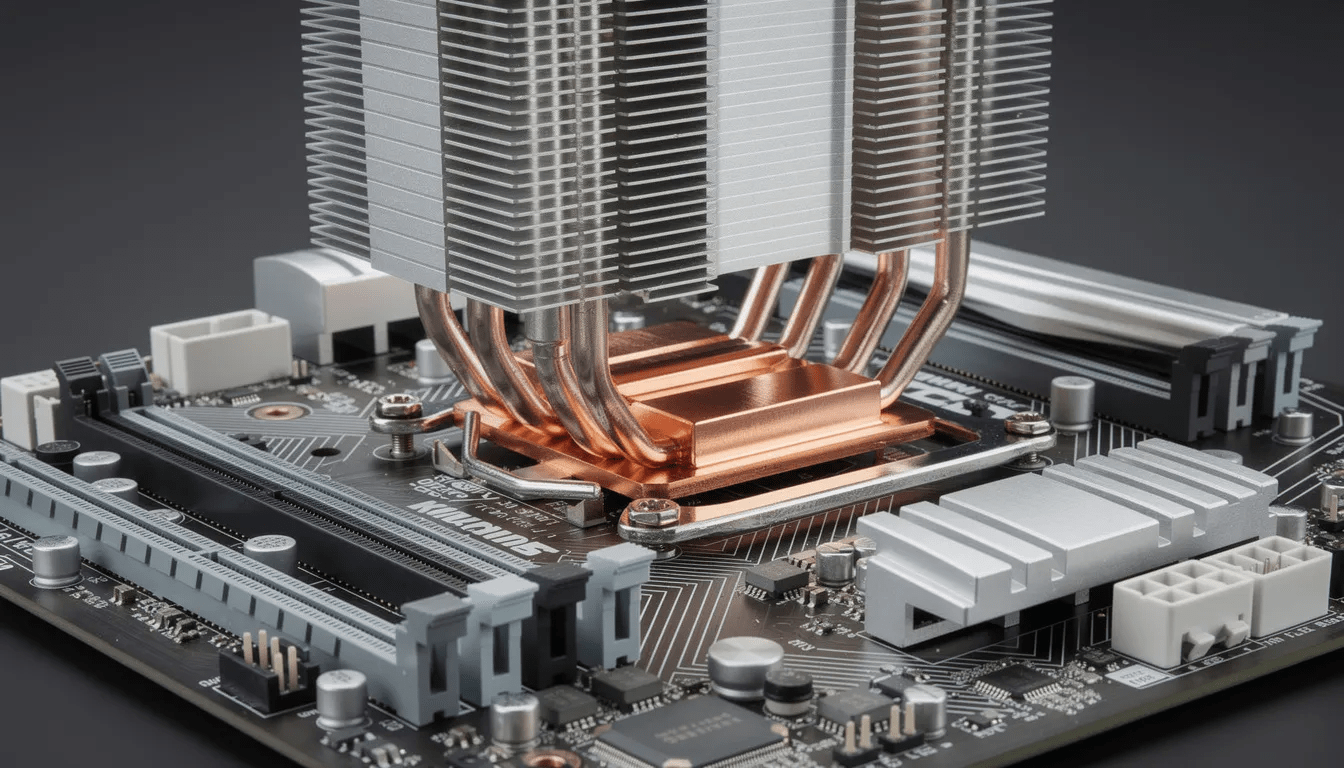
Solid thermal interface materials have evolved significantly. Some 2023–2025 tests show advanced pads rivaling or beating traditional paste on certain CPUs—with the bonus of being reusable.
Thermal Grizzly Kryosheet — Advanced Graphite Pad
Kryosheet is a graphene-based pad that surprised testers by matching or exceeding liquid metal performance on hot chips like the Ryzen 9 9950X in multiple reviews.
-
Rated conductivity: 8.5 W/mK (though real-world performance suggests higher effective transfer)
-
Key consideration: Requires high mounting pressure to perform well
-
Important: Electrically conductive—keep away from exposed components
The reusability factor makes Kryosheet attractive for test benches or frequent cooler swaps.
Thermal Grizzly PhaseSheet — Safer Solid Alternative
PhaseSheet uses phase-change material that softens under heat to conform to surface imperfections. It’s non-conductive and safer for average users, though typically performs slightly below Kryosheet.
-
Best for: Users who hate cleaning paste, test bench setups, builds where coolers get swapped regularly
-
Also suitable for: GPU memory modules when thickness matches requirements
Recommendation: Thermal pads cost more upfront but can be reused across many builds. They’re best for intermediate or advanced users who understand mounting pressure requirements and electrical conductivity risks. Traditional paste remains more flexible for uneven surfaces like some laptop heatsinks.
How to Choose the Right Thermal Paste for Your CPU
Rather than chasing the highest W/mK number on a spec sheet, match your paste type to your actual needs: CPU power draw, cooler type, and your comfort level with application.
Quick Selection Guide by Use Case
65–120W office/light gaming CPU (Ryzen 5, Core i5) → Arctic MX-4 or Thermal Grizzly Aeronaut
150–220W gaming/content creation CPU (Ryzen 7/9, Core i7/i9) → Arctic MX-6, Thermal Grizzly Kryonaut, or Noctua NT-H2
>220W or heavy overclocking → Kryonaut for safety, or liquid metal if experienced
Paste Categories Explained
Non-conductive ceramic/carbon pastes (MX-4, MX-6, NT-H1, NT-H2, Hydronaut): Safest general choice. Works with any cooler material including aluminum. Ideal for inexperienced users and anyone who doesn’t want to worry about shorts.
Metal-particle pastes (like Arctic Silver 5): Offer decent conductivity but are slightly capacitive. They require more care during application and are less popular today compared to modern non-conductive alternatives.
Liquid metal alloys: Extreme performance, extreme risk. Reserved for experts with copper or nickel-plated coolers only.
W/mK claims vary wildly between brands because there’s no universal measurement standard. Independent test data and user reviews tell you more than spec sheets ever will.
How to Apply Thermal Paste Correctly (Step-by-Step)
Improper application can easily add 5–10°C to your temperatures—completely overshadowing any difference between paste brands. The technique matters more than whether your paste is rated 11.8 or 12.5 W/mK.
Preparation
- Power down and unplug your PSU from the wall
- Ground yourself to discharge static
- Remove your CPU cooler carefully (twist gently if it’s stuck to avoid pulling the CPU from the socket)
- Clean old paste from both the CPU IHS and cooler base using 90–99% isopropyl alcohol and a lint-free cloth or coffee filter
- Continue until both surfaces shine with no residue
Application Methods
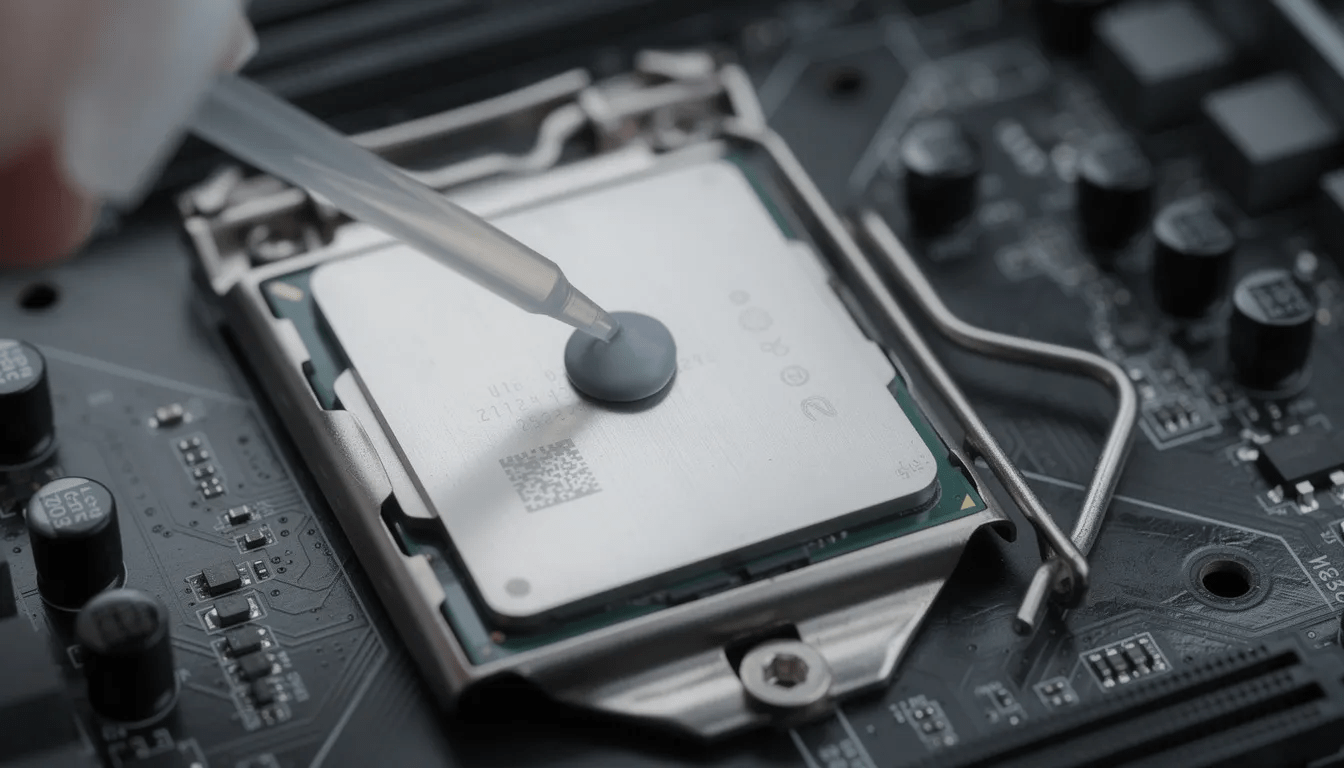
For most modern desktop CPUs, the pea-sized dot method works best:
-
Place a single pea-sized dot (roughly 4mm diameter) in the center of the integrated heat spreader
-
Don’t spread it manually—mounting pressure will do the work
Alternative patterns:
-
Small X pattern for larger IHS designs
-
Thin line for elongated IHS shapes like LGA 1700
Critical Tips
-
Don’t over-apply: Excess paste acts as insulation and can spill over edges onto the motherboard. You need a thin, even layer once the cooler is mounted.
-
Tighten screws in a diagonal/cross pattern: This ensures even pressure across the CPU. Tighten in stages rather than fully tightening one corner first.
-
Verify success: Run Cinebench R23 multi-core for 10–15 minutes and monitor temps. If temps look reasonable and stable, you’re done.
How Often Should You Replace CPU Thermal Paste?
Replacement intervals depend on paste quality, ambient temperature, CPU heat output, and whether the cooler has been removed for any reason.
General Guidelines
|
Use Case |
Recommended Interval |
|---|---|
|
Gaming/home PC with quality paste |
Check annually, replace every 2–3 years |
|
24/7 workstation or render node |
Every 1–2 years |
|
High-TDP servers (200W+) |
Every 1–2 years to combat pump-out |
|
Budget silicone or old OEM paste |
Replace immediately if temps rise |
Budget pastes or stock pre-applied compound from OEM systems can dry out within 1–2 years. When this happens, idle temps creep up and fans run louder than necessary. Replacing dried-out paste with a modern compound like MX-6 or NT-H2 often cuts temps by 5–10°C immediately.
Important: Any time you remove a cooler from the CPU for any reason, fully clean and reapply the paste. Trying to “re-squish” the existing layer traps air bubbles and creates uneven contact.
Using CPU Thermal Paste on GPUs, Laptops, and Consoles
Most standard CPU thermal compounds work equally well on discrete GPUs, laptop CPUs, and gaming consoles like the PS5 or Xbox Series X. The key is choosing the right type and being careful during application.
Safe Options for GPUs and Consoles
Non-conductive pastes like Arctic MX-4, Arctic MX-6, Noctua NT-H1, or Thermal Grizzly Hydronaut are safe for GPUs and console APUs. Just avoid flooding the area with excess paste—exposed SMD components around the die can be sensitive.
Liquid Metal Warnings
Avoid using Conductonaut or other liquid metals directly on GPUs or console APUs unless you’re an expert. The exposed components surrounding most GPU dies can short easily if liquid metal spreads. Many manufacturers explicitly void warranties if liquid metal damage is detected.
Laptop Considerations
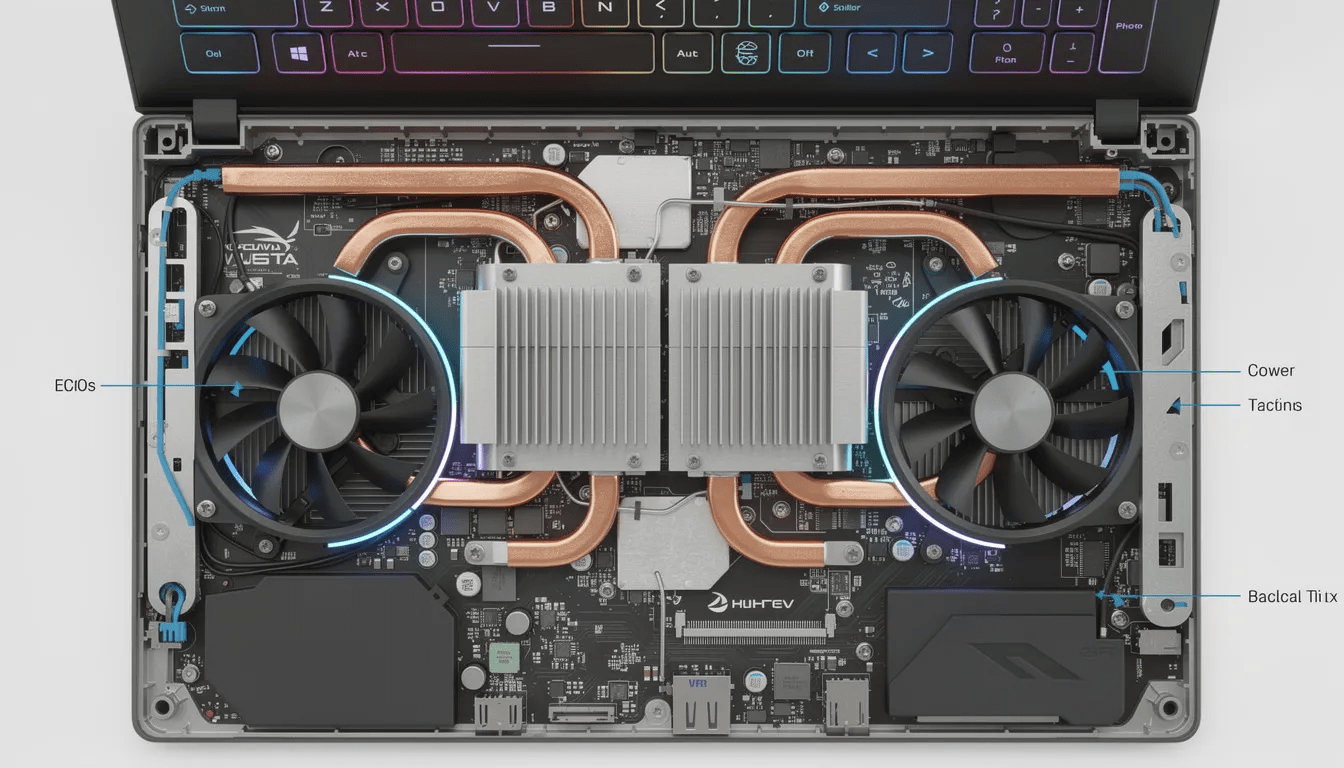
Laptops typically use a combination of thermal paste on CPU/GPU dies and thermal pads on VRAM and VRM components. When repasting a laptop:
-
Keep pad thickness and placement identical to the original
-
Mismatched thickness creates poor contact on the new heatsink
-
Quality paste (MX-6, Kryonaut) plus fresh pads on memory can yield 5–15°C improvement under load on older gaming laptops
Legacy Thermal Paste Testing and How It Compares
Benchmark data stretching back to 2017 covers CPUs from the Ryzen 1700 through the 8700K, 12900K, 7800X3D, and 14900K. This historical context helps users who might be reusing older tubes or wondering if classics still hold up.
Do Older Formulas Still Work?
Many classic pastes remain competitive on current chips:
-
Arctic MX-4: Still within a few degrees of modern options
-
Noctua NT-H1: Performs nearly identically to its successor NT-H2
-
Arctic Silver 5: Reliable but shows more drying after extended use than newer alternatives
However, direct temperature comparisons across CPU generations aren’t perfect. Newer processors have higher power density and different IHS curvature than older chips.
Storage and Shelf Life
-
Unopened tubes: Last 3–5+ years in cool, dry conditions
-
Opened tubes: Check consistency before reuse—no oil separation, no rubbery chunks
As mentioned earlier, if paste appears chalky, separated, or won’t dispense smoothly, discard it and start fresh.
Bottom Line on Legacy Data
Charts from 2017–2022 remain useful reference points, but buyers in 2025 should prioritize recent tests on modern CPUs. Newer formulas like MX-6 and NT-H2 build on the foundations of their predecessors with improved pump-out resistance and long durability.
FAQ
Q: Does a higher W/mK rating always mean better thermal performance?
W/mK is only one factor among many, and different manufacturers measure it under varying lab conditions. In practice, application technique, paste viscosity, mounting pressure, and CPU IHS shape often matter more than raw conductivity numbers. Many pastes rated between 8.5–13 W/mK perform within 1–2°C of each other on real CPUs. Don’t chase specs—check independent test results.
Q: Is it safe to mix or layer different thermal pastes together?
No. Mixing brands or formulas can trap air, alter viscosity unpredictably, and reduce effective thermal conductivity. Always fully remove old paste with isopropyl alcohol before applying new paste. Use a single, fresh compound for best results.
Q: Can I run a CPU without any thermal paste if I have a very good cooler?
Running a modern CPU without thermal interface material is unsafe and will cause rapid overheating. Microscopic gaps between the CPU heat spreader and cooler base trap air, which conducts heat extremely poorly (roughly 0.026 W/mK versus 237+ W/mK for metals). Under load, the processor can hit thermal throttling or emergency shutdown within seconds.
Q: How do I know if my thermal paste has gone bad in the tube?
Check for separated oils pooling at the tip, gritty or dried texture, or difficulty dispensing. If the paste appears chalky, rubbery, or separated and cannot be remixed to a smooth consistency by kneading the tube, it’s safer to discard and replace it. Product quality varies depending on storage conditions and age.
Q: Will better thermal paste actually increase my FPS in games?
Better paste can lower CPU temp and reduce thermal throttling, which may stabilize boost clocks on hot chips. In most systems with adequate cooling, the FPS difference is minimal (often 0–5%). However, in thermally constrained builds like mini-ITX cases or gaming laptops, improved temps can translate to noticeably higher sustained performance and improve performance under extended sessions.
Selecting the best thermal paste comes down to matching your specific needs to your budget and skill level. For most builders, Arctic MX-6 offers the best balance of price, performance, and long-term stability. Premium users can confidently grab Thermal Grizzly Kryonaut or Noctua NT-H2 knowing they’re getting excellent thermal conductivity without electrical risks.
Leave liquid metal to the experts with proper equipment and experience. And remember—no matter which paste you choose, proper application technique delivers more consistent results than obsessing over spec sheet differences.
If you found this guide helpful, bookmark it for your next build and leave suggestions in the comments for other pastes you’d like to see tested.