

Understanding VPN meaning is essential in today’s connected world where privacy and security concerns are at an all-time high. Whether you’re working remotely from a coffee shop or managing sensitive business data across multiple offices, knowing how a virtual private network functions can help you make smarter decisions about protecting your online activity.
This guide breaks down everything you need to know about VPNs—from the basic definition to choosing the right solution for your needs.
Key Takeaways
-
VPN stands for “Virtual Private Network” and creates an encrypted tunnel between your device and the internet, protecting your private data and hiding your real IP address from prying eyes.
-
VPNs serve both individual users (for privacy, streaming, and bypassing geographic restrictions) and organizations (for secure remote access and site to site VPN links between multiple offices).
-
While a VPN significantly improves privacy and network security, it does not make you completely anonymous or protect against all cyber threats like malware and phishing attacks.
-
Different VPN types exist (remote access VPN, site to site VPN, mobile VPN, personal vs business) along with various protocols (OpenVPN, WireGuard, IKEv2/IPsec), each with distinct advantages and limitations.
-
Choosing a good VPN requires evaluating encryption strength, logging policies, server locations, connection speed, kill switch functionality, and multi-factor authentication options.
What Does VPN Mean?
A VPN, or virtual private network, creates a private, encrypted connection over a public network like the internet. Instead of your internet traffic traveling openly where anyone on the same network can potentially intercept it, a VPN wraps your data in a protective layer and routes it through a secure connection.
The term breaks down into two key concepts:
- Virtual refers to using shared public internet infrastructure rather than dedicated private lines
- Private refers to the encryption and access control that keeps your data confidential
When you use a VPN, your real IP address gets masked. The VPN server assigns you a new IP address, making it appear as if your internet connection originates from the server’s location rather than your actual position. This helps hide your location and online identity from websites, advertisers, and potential snoopers.
VPNs first gained widespread adoption in the late 1990s and early 2000s when businesses needed secure ways to link branch offices and support remote workers without investing in expensive dedicated network connections.
Here’s a practical example: imagine you’re sitting in a café with your laptop and need to access your company resources. Without a VPN, your data travels across the café’s public wi fi networks—potentially visible to anyone with the right tools. With a VPN, your laptop creates a secure connection to your company’s VPN server, allowing you to securely access internal systems as if you were sitting at your desk in the office.
How Does a VPN Work?
At its core, a VPN works by creating an encrypted tunnel between your device (the VPN client) and a remote VPN server. All your internet traffic passes through this protected pathway before reaching its final destination.
Here’s the step-by-step process of what happens when you connect:
- Authentication: Your VPN app verifies your credentials against the VPN server, establishing a trusted connection
- Tunnel creation: The VPN protocol establishes a secure pathway between your device and the server
- Encryption: All data packets from your device get encrypted using strong cryptographic algorithms before transmission
- Routing: Your encrypted traffic travels to the VPN server, which then forwards it to your destination website or service
- Decryption and forwarding: The VPN server decrypts incoming data, processes it, and sends responses back through the same encrypted tunnel
- Final delivery: Your device receives the encrypted response, decrypts it, and displays the content
The encryption process transforms readable data into unreadable code. Modern VPNs commonly use AES-256 encryption—the same standard used by governments and financial institutions—making brute-force attacks virtually impossible with current technology.
IP masking is another critical function. When you visit a website while connected to a VPN, the destination site sees only the VPN server’s IP address and location. If you connect to a server in London, websites will believe you’re browsing from London, regardless of your actual location.
One important consideration: while a VPN encrypts your data in transit and hides your browsing history from local network snoopers and your ISP, the VPN provider can technically see your connection metadata. This is why choosing a trustworthy VPN service with clear privacy policies matters.
Common VPN Protocols and Technologies
A VPN protocol defines how the VPN tunnel is created, how your sensitive data gets encrypted, and ultimately how fast and secure your connection will be. Different protocols make different trade-offs between security, speed, and compatibility.
Here are the major protocols you’ll encounter:
|
Protocol |
Key Characteristics |
Best For |
|---|---|---|
|
OpenVPN |
Open-source, uses SSL/TLS, strong security, widely audited |
General use, high security requirements |
|
WireGuard |
Modern, lightweight codebase, fast performance |
Speed-focused users, mobile users |
|
IKEv2/IPsec |
Stable during network switches, good on mobile |
Mobile device users who switch between Wi-Fi and cellular |
|
L2TP/IPsec |
Easy to configure, older technology |
Legacy systems, basic needs |
|
SSTP |
Integrated with Windows, uses SSL/TLS |
Windows-only environments |
|
PPTP |
Fast but insecure |
Not recommended for any use |
Internet protocol security (IPsec) deserves special mention. When used in “tunnel mode,” IPsec can protect entire IP packets traveling between networks. This makes it particularly common in site to site VPN deployments where organizations need to connect multiple locations securely.
SSL/TLS-based VPNs often operate over TCP port 443—the same port used for HTTPS traffic. This helps VPN connections traverse firewalls and restrictive networks more easily, since blocking this port would also block normal web browsing.
Avoid obsolete protocols like PPTP at all costs. Despite its historical importance, PPTP’s encryption has been broken and offers no meaningful protection. Stick with modern choices like OpenVPN or WireGuard for genuine VPN protection.
Why Use a VPN? Main Benefits and Use Cases
The core motivation for using a VPN is simple: secure, private communication over untrusted networks. However, the specific benefits differ between individual users and organizations.
For Individual Users
Personal VPNs address several common concerns:
-
Protecting data on public Wi Fi: When you connect to networks in airports, hotels, or coffee shops, a VPN encrypts your internet traffic and prevents eavesdropping
-
Masking IP addresses: A VPN hides your real IP address, reducing tracking by ISPs, advertisers, and data brokers who build profiles based on your browsing data
-
Bypassing geographic content restrictions: By routing through servers in different countries, you can access streaming content and services that might be unavailable in your region
-
Accessing blocked sites: In workplaces, schools, or regions with internet censorship, a VPN can provide access to restricted content (where legally permitted)
-
Preventing ISP bandwidth throttling: Some ISPs slow down specific types of traffic like streaming or gaming—a VPN can prevent this by hiding what you’re doing online
For Organizations
Business use cases focus on operational security:
-
Secure remote access: Remote workers and remote users can securely connect to corporate networks from home or while traveling
-
Encrypted connections between locations: Site to site VPN links connect branch offices and data centers, allowing off site users to access resources as if they were on the local network
-
Safer file sharing: Internal applications like email, CRM systems, and file servers remain protected when accessed through a VPN
-
Compliance requirements: Industries like finance, healthcare, and government often require encryption for data in transit
A VPN reduces the risk of identity theft and credential theft by protecting passwords, payment information, and business documents as they travel across the public internet.
However, it’s crucial to understand that a VPN is one layer in a broader security strategy. You still need to maintain updated operating systems, use endpoint protection, and practice safe browsing habits.
Types of VPNs Explained
VPNs can be categorized both by purpose (individual vs business) and by topology (how the connections are structured). Understanding these distinctions helps you choose the right solution.
Remote Access VPN (Client-to-Site)
A remote access VPN connects a single device to a corporate or cloud network. This is the most common type for remote employees who need to securely access internal systems while working from home or traveling.
When you install a VPN client on your laptop or mobile device and connect to your company’s VPN server, you’re using a remote access VPN. Your device essentially becomes part of the internal network, allowing you to gain access to company resources that would otherwise be unavailable outside the office.
Site to Site VPN
Site to site VPN links entire office networks together. For example, a company with headquarters in London and a branch in New York can connect both networks through a site to site VPN, allowing devices on each side to communicate as if they were on a single local network.
This approach eliminates the need for individual VPN connections from every device and is typically managed at the router or firewall level.
Mobile VPN
Mobile VPN is designed specifically for users whose devices frequently switch between networks. Unlike traditional VPNs that may drop connections when you move from 5G to Wi-Fi, a mobile VPN maintains a stable session throughout these transitions.
This technology is particularly valuable for field workers, delivery drivers, and emergency services personnel who need uninterrupted connectivity while on the move. Smartphone users and mobile users with demanding connectivity requirements benefit most from this approach.
Personal vs Business VPNs
|
Aspect |
Personal VPNs |
Business VPNs |
|---|---|---|
|
Primary focus |
Privacy, content access, public Wi-Fi security |
Controlled access, authentication, compliance |
|
Management |
Self-managed by individual users |
Centrally managed by IT departments |
|
Integration |
Standalone apps |
Connected to identity management systems |
|
Features |
Kill switch, multiple server locations |
Audit logging, access controls, multi-user support |
Free VPNs represent a category to approach with caution. While they may seem appealing, many third party applications in this space monetize users through data collection, advertising, or limited functionality that pushes toward paid upgrades.
What Should a Good VPN Do?
When evaluating VPN options, several qualities separate reliable solutions from problematic ones.
Strong Encryption and Modern Protocols
A good VPN must provide robust encryption using algorithms like AES-256 and support modern protocols such as OpenVPN or WireGuard. The VPN encrypts all traffic between your device and the server, making interception practically impossible. Security settings should stay updated as cryptographic standards evolve.
Consistent IP Protection
Your IP address should remain hidden at all times. Features like a kill switch are essential—if your VPN connection drops unexpectedly, the kill switch blocks all internet access until the secure connection is restored, preventing accidental exposure of your real IP address.
Performance and Reliability
Expect stable network connections with minimal speed loss. A premium VPN should offer enough server capacity across multiple locations to avoid congestion and high latency. Speed matters—slow VPNs quickly become unused VPNs.
Usability and Security Features
Look for:
-
Simple VPN app interfaces that don’t require technical expertise
-
Support for multi-factor authentication to prevent account takeover
-
Clear options for split tunneling (routing only some traffic through the VPN) vs full-tunnel operation
-
Compatibility across operating systems including Windows, macOS, iOS, and Android
Transparent Privacy Practices
Perhaps most importantly, a trustworthy VPN provider should offer clear statements about logging policies. Ideally, look for services that maintain minimal or no traffic logs and operate transparently about their data handling practices.
The best VPN in the world means nothing if the company behind it logs everything you do and sells that data to the highest bidder.
Limitations and Risks of VPNs
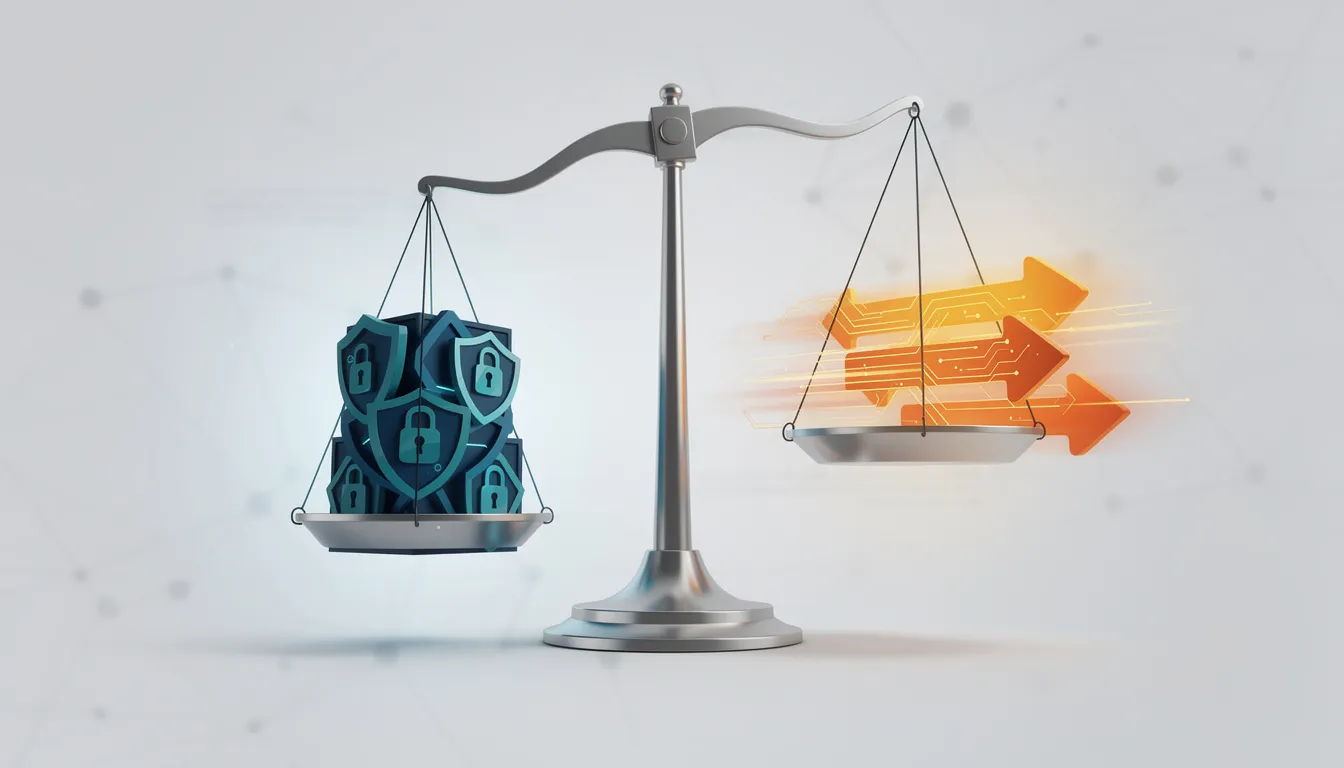
A VPN is not a magic shield. Understanding its limitations helps you set realistic expectations and avoid false confidence.
Speed impact: VPNs can slow your internet connection due to encryption overhead and the additional distance your traffic travels to reach the VPN server. High-latency links or overloaded servers make this worse.
No protection against all threats: A VPN does not block malware, phishing emails, or malicious downloads. If you click on a dangerous link or download an infected file, your VPN connection won’t save you.
Trust requirements: You must trust your VPN provider or administrator. Since your traffic passes through their servers, they become a potential point that can see at least some connection metadata. A private connection is only as private as the people managing it.
Detection and blocking: Some websites and streaming services actively detect and block known VPN IP ranges. Additionally, certain countries have laws restricting or regulating VPN use—check local regulations before relying on a VPN to bypass filters or geographic restrictions.
Not complete anonymity: While a VPN hides your browsing history from your ISP and masks your IP address, websites can still identify you through logins, cookies, browser fingerprints, and behavioral patterns.
How to Choose a VPN Service or Solution
Selection criteria differ for individuals and organizations, but both should prioritize security, privacy, and reliability.
For Personal Users
When evaluating a VPN service for personal use, consider:
- Encryption and protocols: Look for AES-256 encryption and support for OpenVPN, WireGuard, or IKEv2/IPsec
- Logging policies: Seek providers with audited no-log or minimal-log policies
- Server coverage: Ensure servers exist in countries you legitimately need to access
- Essential features: Kill switch, DNS leak protection, and support for multiple devices (laptop, phone, tablet)
- Speed performance: Read reviews and, if possible, test performance before committing
For Businesses
Organizations have additional considerations:
- Identity integration: Can the VPN work with your existing identity and access management systems?
- Topology support: Does it handle both remote access and site to site tunnels for connecting multiple offices?
- Central management: Look for monitoring, logging, and management capabilities that meet compliance requirements
- Scalability: Will the solution grow with your organization as you add individual users and branch locations?
A Word About Free VPNs
Free VPNs often include significant drawbacks:
- Data caps that limit monthly usage
- Aggressive advertising
- Limited server options and slow speeds
- Higher risk of data monetization through tracking or resale
While some legitimate free tiers exist, approach this category with healthy skepticism. If you’re not paying for the product, you might be the product.
For organizations, evaluate vendor security posture, patching practices, and support quality. Test solutions under realistic load before full deployment to work remotely scenarios.
FAQ
Is using a VPN legal?
In most countries—including the US, UK, Canada, and much of the EU—using a VPN is completely legal for legitimate purposes like security and privacy. However, some governments impose restrictions or outright bans on VPN use, or require VPN providers to be licensed. Always check local laws before relying on a VPN, especially when traveling internationally.
It’s important to understand that a VPN does not make illegal activities legal. If something is prohibited in your jurisdiction, routing your connection through a VPN server in another country doesn’t change that fact.
Does a VPN make me completely anonymous online?
No. A VPN significantly increases your privacy but does not guarantee full anonymity. Websites can still identify you through account logins, cookies, browser fingerprints, and behavioral patterns. Your online identity remains traceable through many non-IP means.
Additionally, the VPN provider itself can potentially see some connection data. Legal requests or security breaches at the provider could expose information. Those who need stronger anonymity should combine a VPN with privacy-focused internet browsers, tracker blocking tools, and careful data hygiene practices.
Should I leave my VPN on all the time?
Many users keep their VPN active continuously to maintain consistent IP masking and encrypted connections. This approach makes particular sense for mobile device users and laptop owners who frequently connect to public wi fi networks.
However, you might temporarily disable your VPN for local services—some banking apps block connections from foreign IPs, or you may need to troubleshoot network issues. The general recommendation is to leave your VPN on by default unless you have a specific reason to disable it. Using a kill switch ensures protection even if connection drops occur unexpectedly.
Can my internet provider see what I do when I use a VPN?
Your ISP can still see that you’re connected to a VPN server and approximately how much mobile data or bandwidth you’re using. However, they cannot read the encrypted content or see the specific websites you visit.
From your ISP’s perspective, all traffic appears as encrypted data flowing between your device and the VPN endpoint. Your actual browsing data remains hidden. Once data exits the VPN server to reach websites, it’s subject to the VPN provider’s policies and each destination site’s security practices.
Do I still need antivirus software if I use a VPN?
Absolutely. A VPN and antivirus software solve fundamentally different problems. A VPN protects your data while it travels across networks and hides your IP address from external observers. Antivirus and endpoint protection help block malware, ransomware, and malicious files that could compromise your device.
Never rely on a VPN alone for security. Maintain updated operating systems, use reputable security software, and practice safe browsing habits. The combination of multiple security layers provides far more comprehensive protection than any single tool—including the most secure VPN—could offer on its own.